
LossGuardian guide
How to use LossGuardian
Plain, short guides to every part of the app: what each option does, what you will see, and how to make it work for the way you trade. Every picture is the real app.
The Dashboard
What the LossGuardian Dashboard shows while you trade: live P&L, open positions, how much of your daily loss limit is used, capital at risk and your intraday equity curve.
Guardian Control
How to start and stop Guardian, what GUARDIAN ACTIVE means, how to read the Data Source, Market Hours, Auto-Start and Risk Guard tiles, and how to use the Activity Log.
Risk Manager
How to set your daily loss limit, Capital Saver, trade limit, losing streak limit, execution window and impulse window in LossGuardian Risk Manager, and what each one does.
Alerts Designer
How to set up your LossGuardian alerts: where each alert appears, how long it stays, sound and volume, reminders, your own messages with live numbers, and custom alerts that fire at a time or a profit target.
Trade Log and Analytics
How LossGuardian’s automatic trading journal works: discipline score, win rate, drawdown, profit factor, every trade with charges, alerts, and past performance to find your mistakes.
Set up Advanced Mode
Set up LossGuardian Advanced Mode: turn it on, choose Pause or Done for each rule, add sites to pause, write a note to self, and set the Automatic Kill Switch.
Your Paused and Done screen
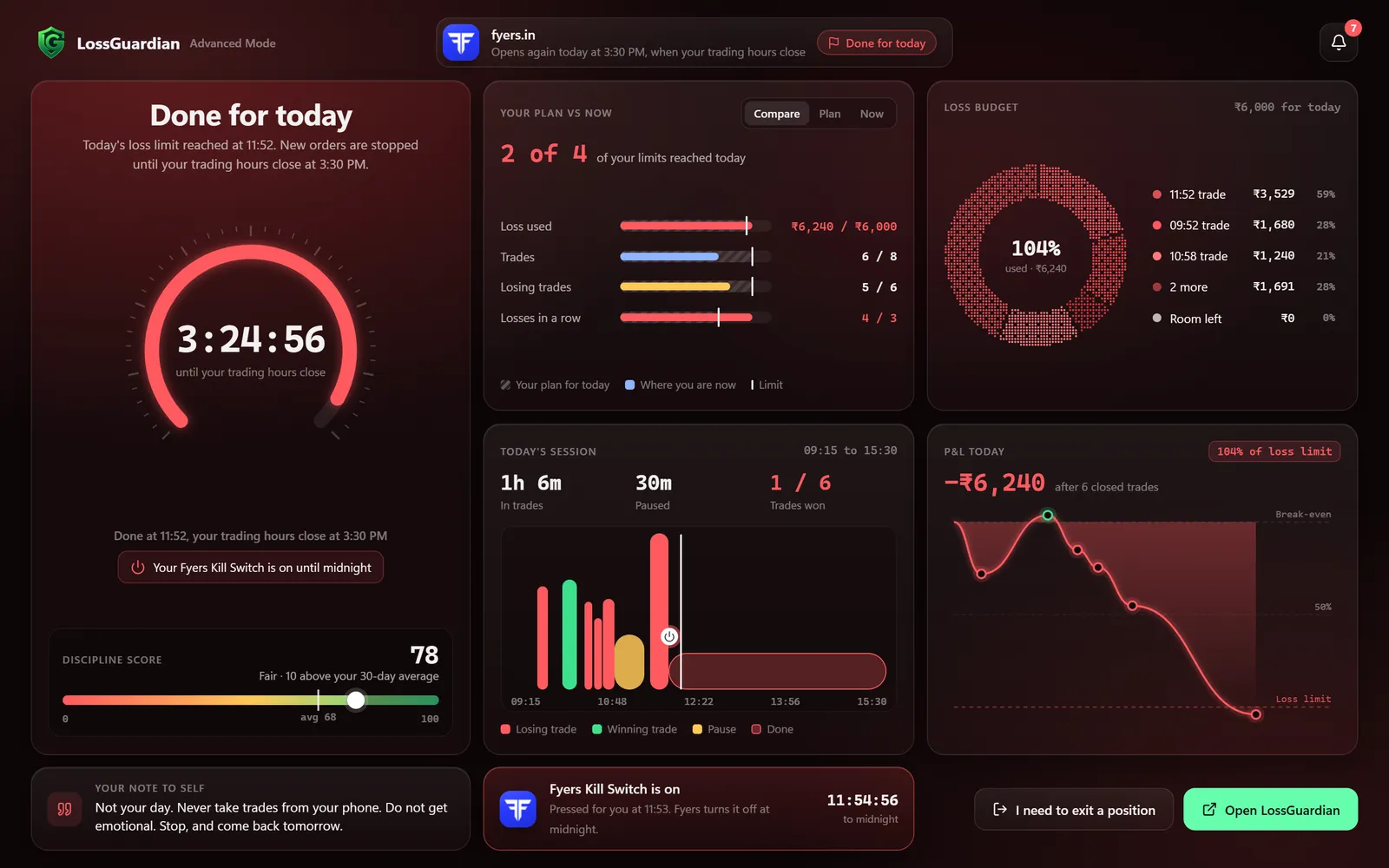
What you see when Advanced Mode pauses you or you are done for the day: your plan vs now, your loss budget, every trade on a timeline, and how to use the pause to fix your next trade.
The browser extension
What the LossGuardian Advanced Mode extension does in Chrome and Edge, how to install it, which sites it pauses, and how to stay logged in for the Automatic Kill Switch.
Connect your broker
Step by step: how to connect Zerodha, Fyers, Dhan, Upstox, Groww or Angel One to LossGuardian. What you sign in with, which brokers need your own API key, and what to check once you are connected.
Settings
A tour of LossGuardian Settings: your account and devices, broker connections, general options, your data, help and the Danger Zone. What each option does, in plain words.