
LossGuardian guide
Trade Log and Analytics: your automatic journal
Most traders mean to keep a journal and stop after a week. LossGuardian keeps it for you, from your broker, every day. Your trades, your mistakes and your discipline, in numbers. This is where you see your own reflection, and where real change starts.
Today’s performance
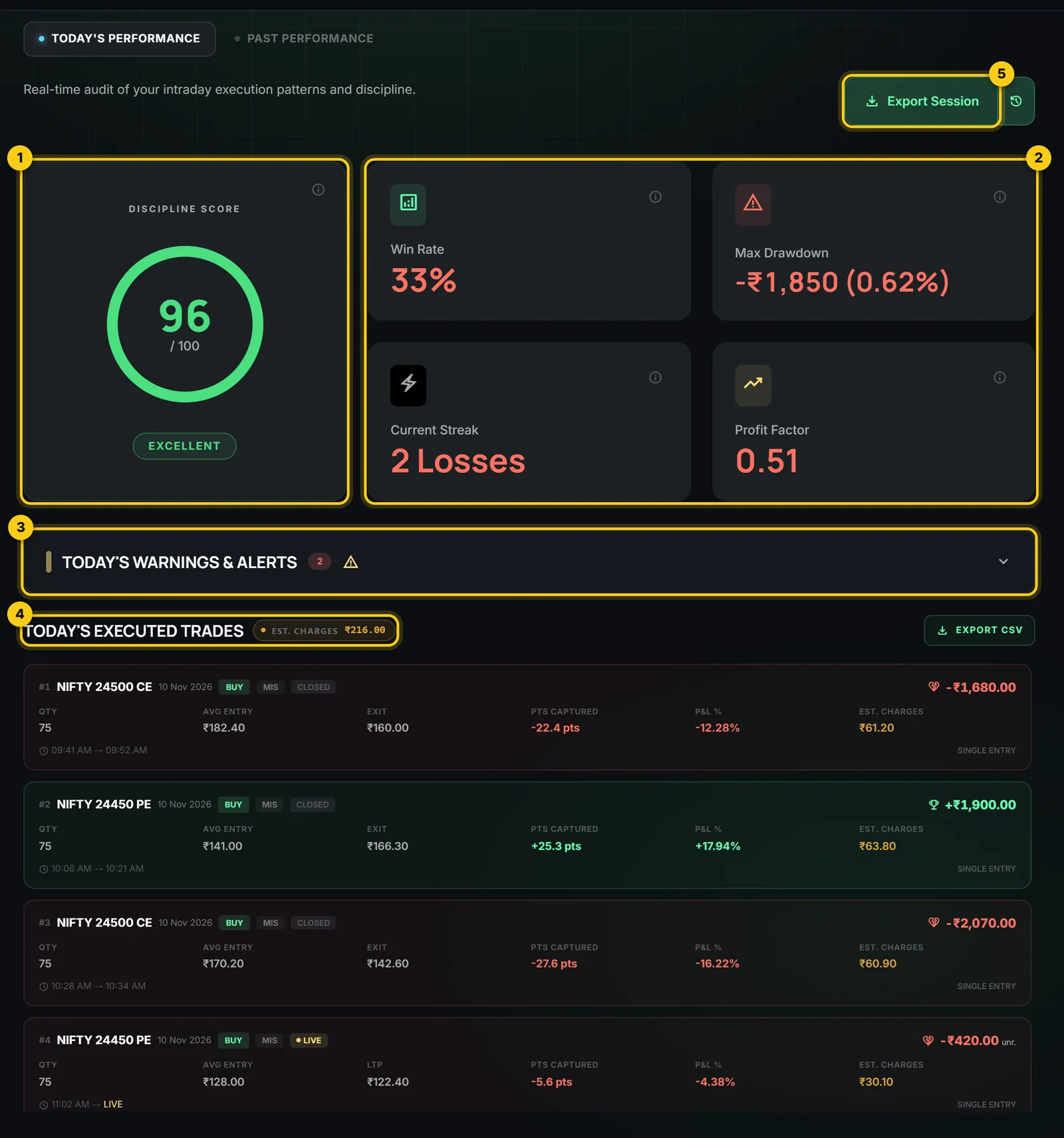
- 1
Discipline score. Out of 100, how well you kept the rules you set today. It measures behaviour, not profit.
- 2
Win rate, drawdown, streak, profit factor. Your share of winning trades, the deepest fall from your best point, your current run of wins or losses, and how much you win for every rupee you lose.
- 3
Today’s warnings and alerts. Every alert of the day, in order, with your P&L at that moment.
- 4
Today’s executed trades. Every trade with quantity, entry, exit, points, P&L and estimated charges, from brokerage and taxes at your broker’s published rates.
- 5
Export Session. Save the whole day as a file for your own notes or journal.
Past performance
Open Past performance to look back over a week, a month or any range: your cumulative equity, daily P&L, your discipline trend, and which rules you broke most often.
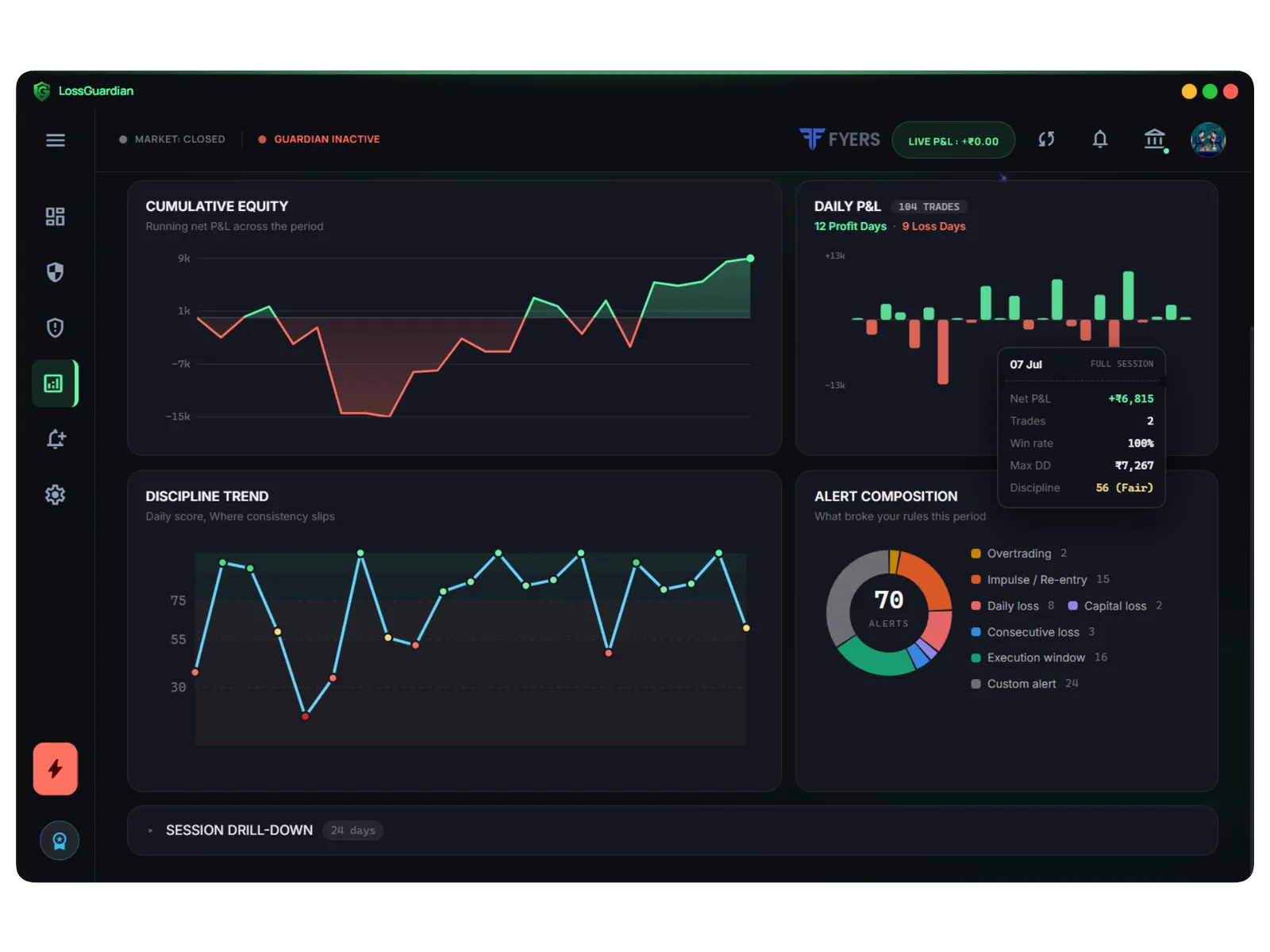
Open any day
Click any day to see it in full: its equity curve, net P&L, trades, win rate, drawdown, discipline, the limits you had set that day, and every trade.
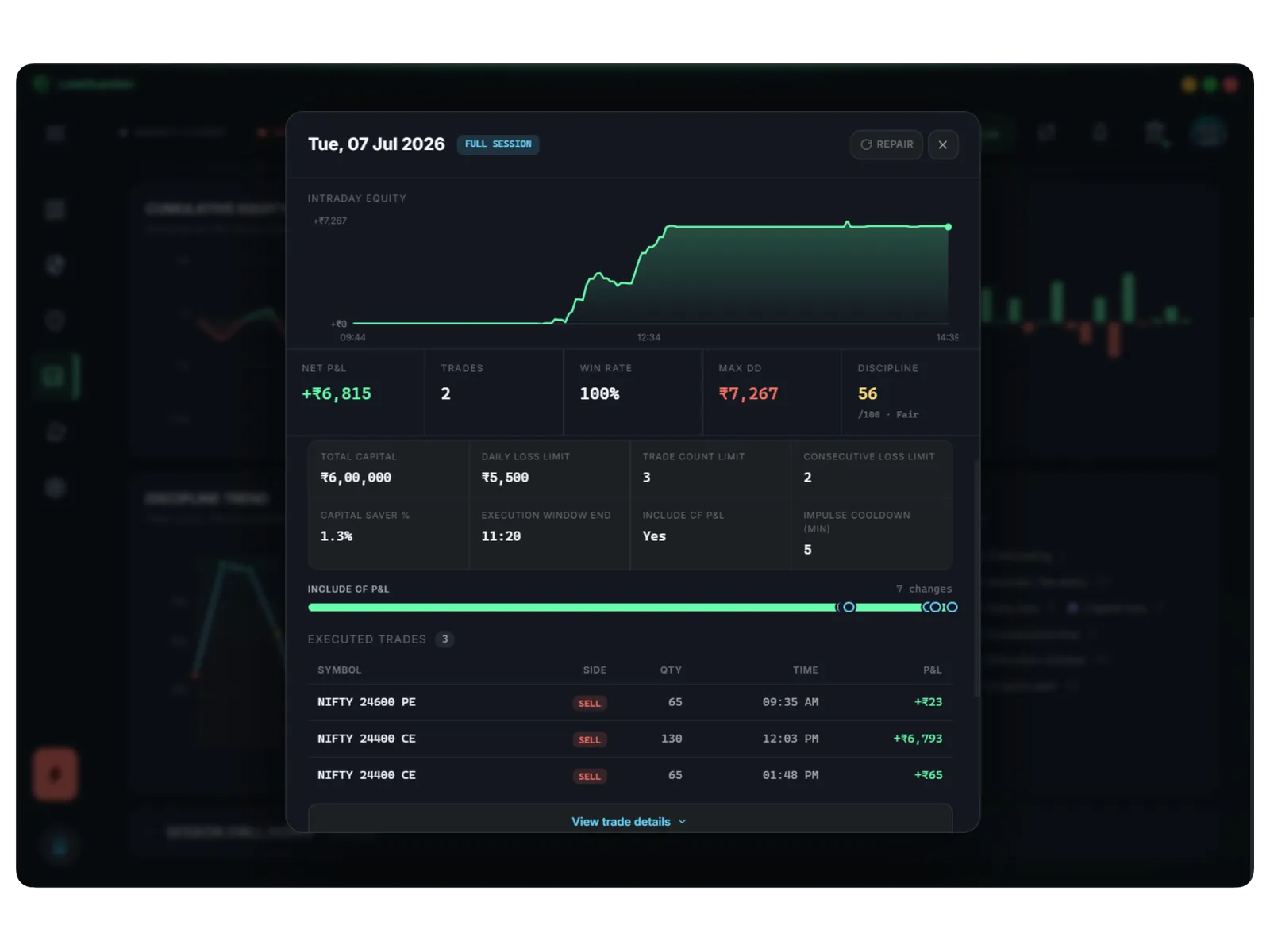
A ten-minute weekly review
- 1
Open Past performance for the last week.
- 2
Look at the alert mix. Which rule did you break most?
- 3
Find the worst day and open it. What time did the slide start?
- 4
Write one rule change for next week, and set it in Risk Manager.
Questions
Do I need to enter my trades?
No. LossGuardian reads them from your broker. There is nothing to type.
Where is my journal stored?
On your own computer, kept separate for each broker account.
Are the charges exact?
They are estimates from your broker’s published rates. Your broker’s contract note is the final word.