
Daily loss limit
A daily loss limit that holds, even on your worst day
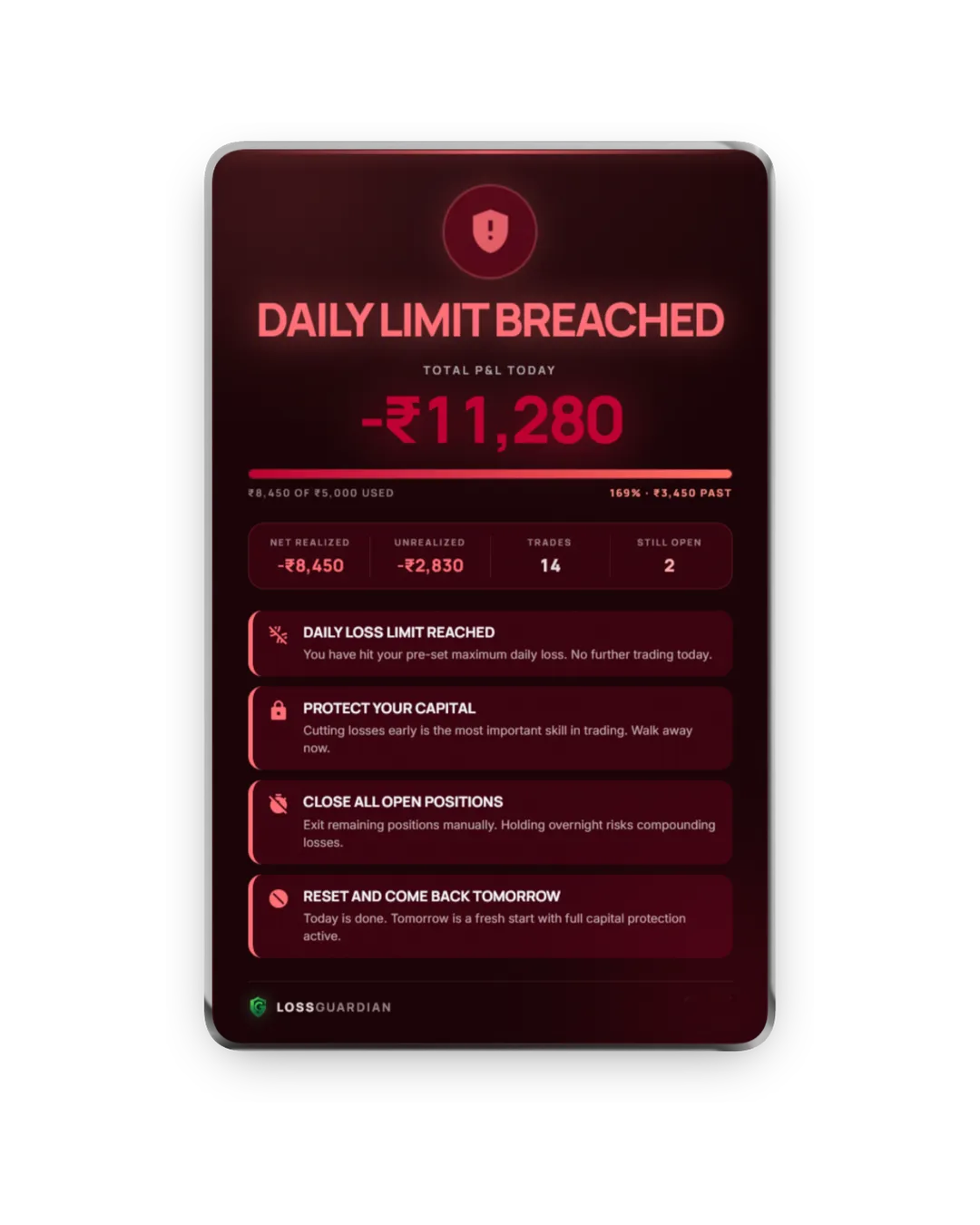
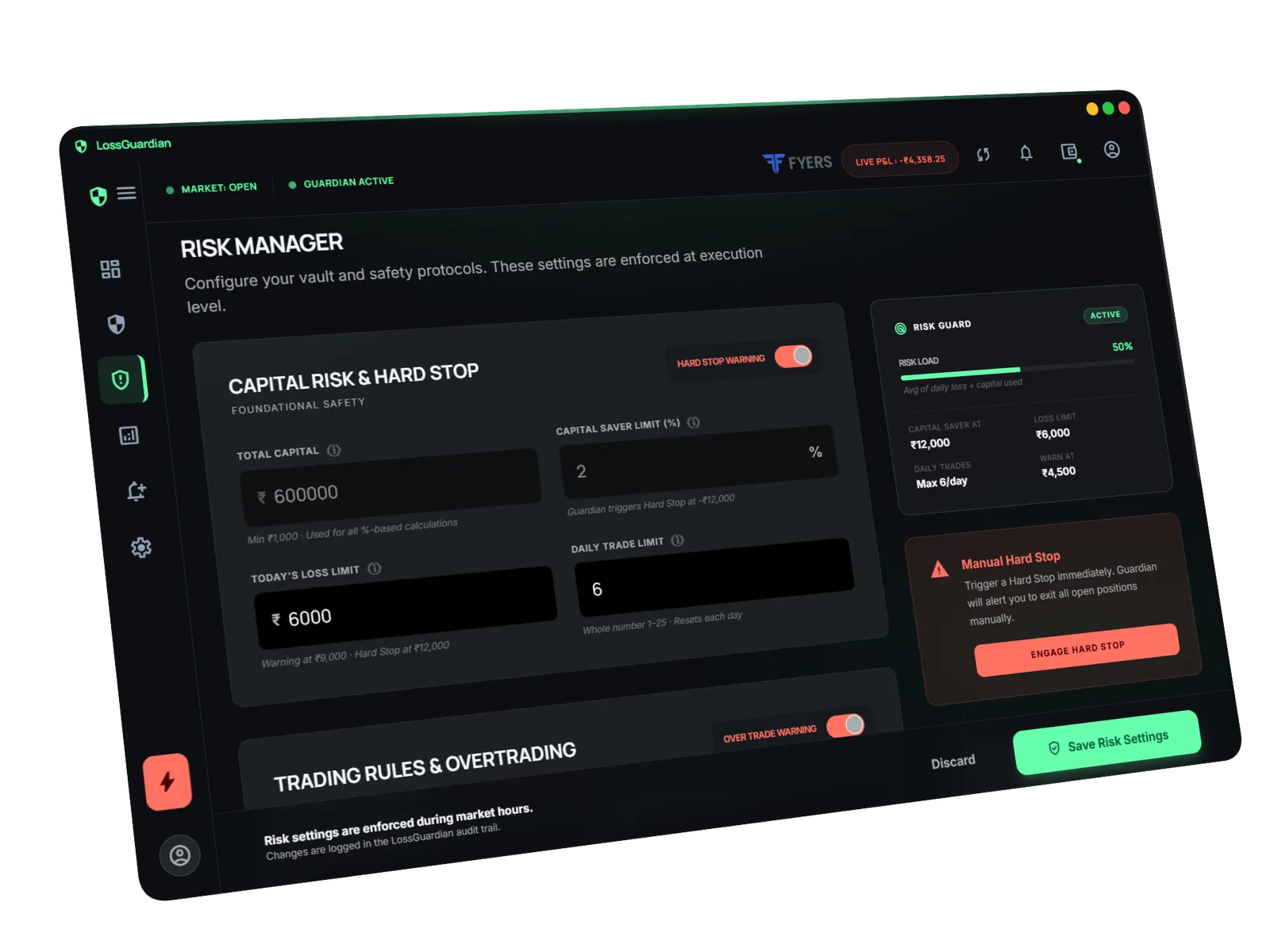
A daily loss limit is the most you allow yourself to lose in one trading day. In LossGuardian you set it in rupees before the market opens. It watches your P&L through the day, warns you as you get close, and the moment you cross it shows a full-screen hard stop alert telling you to exit and stop for the day.
Why the limit in your head never holds
Almost every trader has a daily loss limit. Most of them live in a notebook or in their head. And they get tested at the worst moment: when you are down, upset and sure the next trade will fix it.
That is when the limit quietly moves. ₹5,000 becomes "₹5,000 on closed trades". Then "this position will come back". Nobody decides to blow up their day. It happens one small excuse at a time.
Your broker gives you a stop-loss for each trade. Nothing gives you a stop-loss for the day.
How daily loss limit works in LossGuardian
- 1
Before the market opens, you set your daily loss limit in rupees.
- 2
LossGuardian reads your positions and trades from your broker and tracks your P&L through the session.
- 3
As you get close to the limit, a loss warning tells you to cut size or stop while it is still cheap.
- 4
Cross the limit and a hard stop alert fills the screen, above your charts and order window. You close your positions yourself in your broker.
Built so you cannot quietly move the line
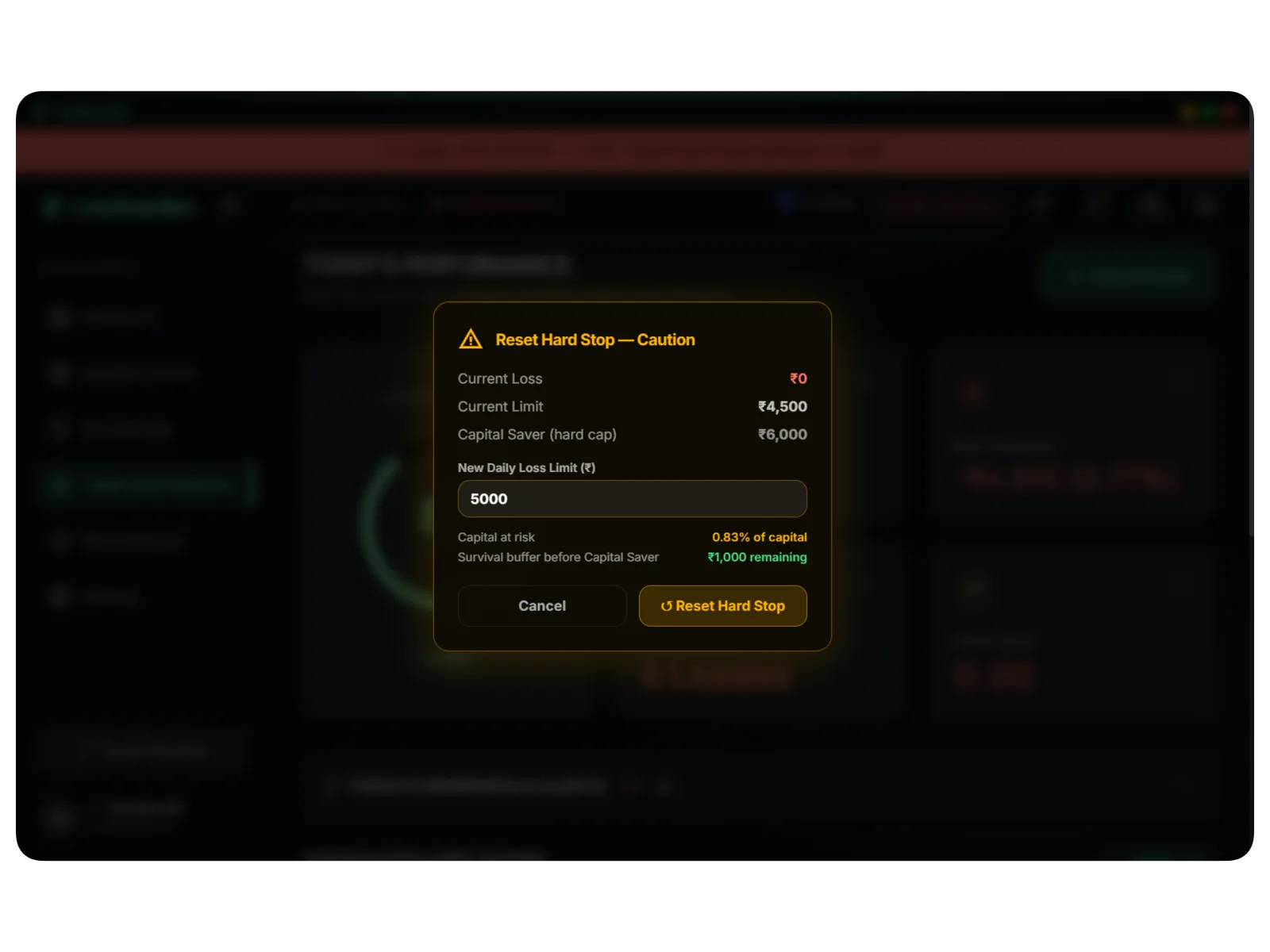
One reset a day, and only upwards
If you really want to continue, you get one reset per day. To use it you set a new, higher limit that stays under your Capital Saver. There is no quiet "clear and carry on" button.
Overnight positions handled honestly
You choose whether carry-forward positions count toward today, so a positional trade does not eat your intraday budget.
Every breach is recorded
Hard stops, resets and limit changes are saved. At the weekend you can see exactly when you hit the line and what you did after.
What it does not do
It does not close your trades. LossGuardian is read-only and cannot place, change or cancel an order. That is on purpose. If software exits for you, you learn nothing. The alert makes sure you see the line. Closing the trade is your decision, and that is what builds the habit.
Daily loss limit calculator
Enter your capital, the monthly loss you would accept and your average winning day. Get a daily loss limit, a trade limit and the rule written out for you.
Open the free daily loss limit calculatorDaily loss limit: questions traders ask
What is a good daily loss limit?
Work it out from your capital, not your mood. Take the monthly loss you would accept, often 6% to 10% of trading capital, and divide it by the 6 to 8 losing days a normal month has. On ₹5,00,000 at 8% that is about ₹5,000 a day. The free loss limit calculator does this for you.
Does the daily loss limit include open positions?
Yes. LossGuardian tracks both booked and open P&L. A limit that only counts booked losses rewards you for holding a losing trade, which is the exact habit it should stop.
Can I change my loss limit during the day?
Only once, through the daily reset, and only to a higher limit that stays under your Capital Saver. Every change is recorded, so you can see later if you loosened your own rule.
Will LossGuardian square off my positions when I hit the limit?
No. It is read-only and cannot place, change or cancel an order. It shows a hard stop alert, and you close the trade yourself in your broker.
Read more
More LossGuardian features
See all features · Works with Zerodha, Fyers, Dhan, Upstox, Angel One and Groww