
Free for 7 days · No card
You don’t need a new strategy.You need to stop at your limit.
LossGuardian sits next to your broker and holds you to the rules you set when you were calm. It warns you, then it stops you, and at the end of the week it shows you exactly where the money went.
Downloads open at launch. Waitlist members hear first.
A morning you might recognise
- 09:21
First trade stops out. −₹1,800. Fine, part of the game.
- 09:34
Same strike again, double the size. Just to get it back.
- 10:12
−₹6,400. The daily limit you set last night is gone. You keep going.
- 11:05
Ten open positions. You have stopped counting.
- 15:30
Terminal closed. Tomorrow will be different, you tell yourself.
It was never a knowledge problem.
You know where your stop is. You wrote the daily limit down. The loss does not come from not knowing. It comes from the ten minutes after a bad trade, when the plan stops feeling real.
Built for the exact minute you stop listening to yourself.
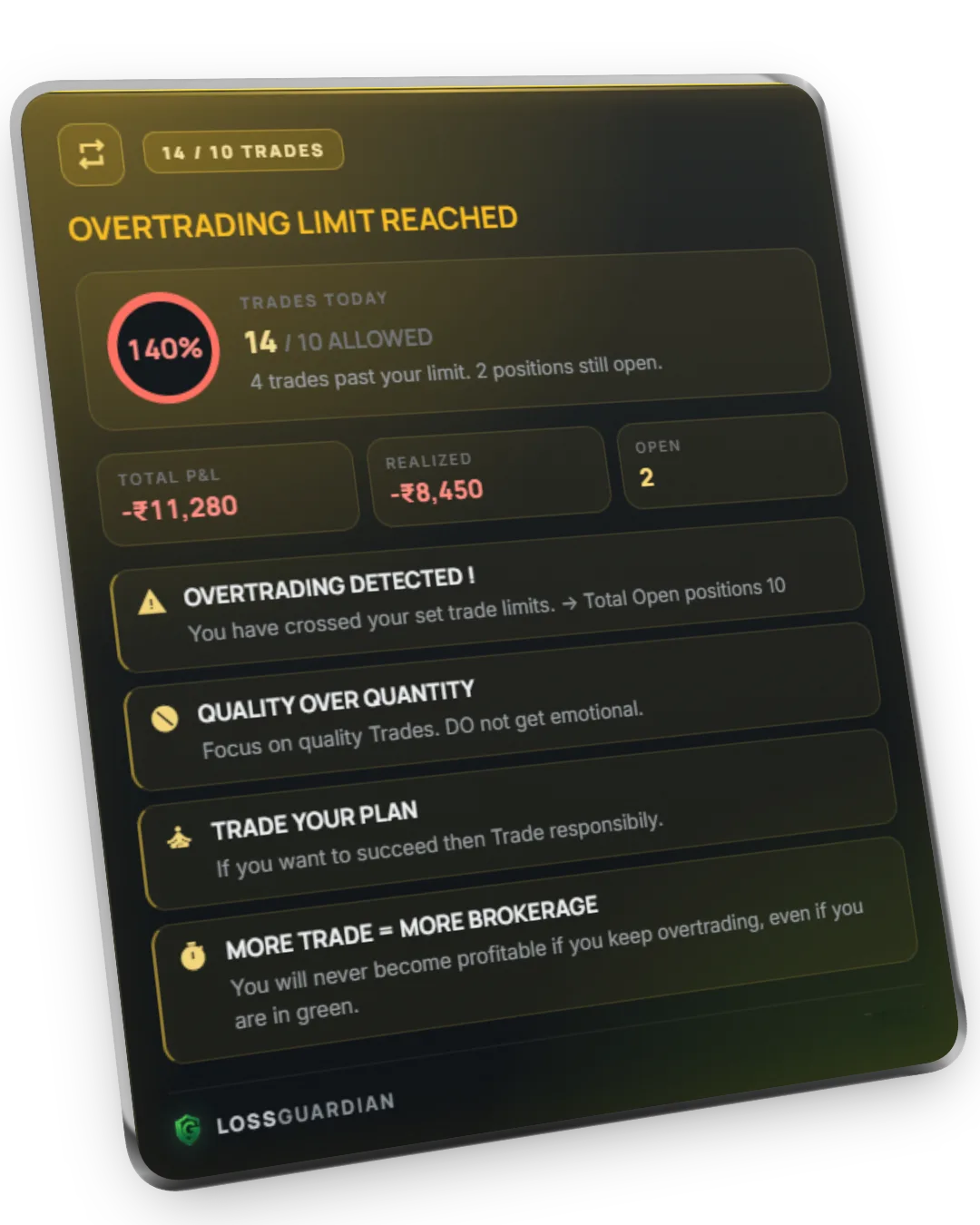
When you cross your trade limit
It names what you are doing.
Overtrading shows up on screen the moment you pass the trade count you set, with the number of open positions next to it. Not a sound you learn to ignore. A sentence.
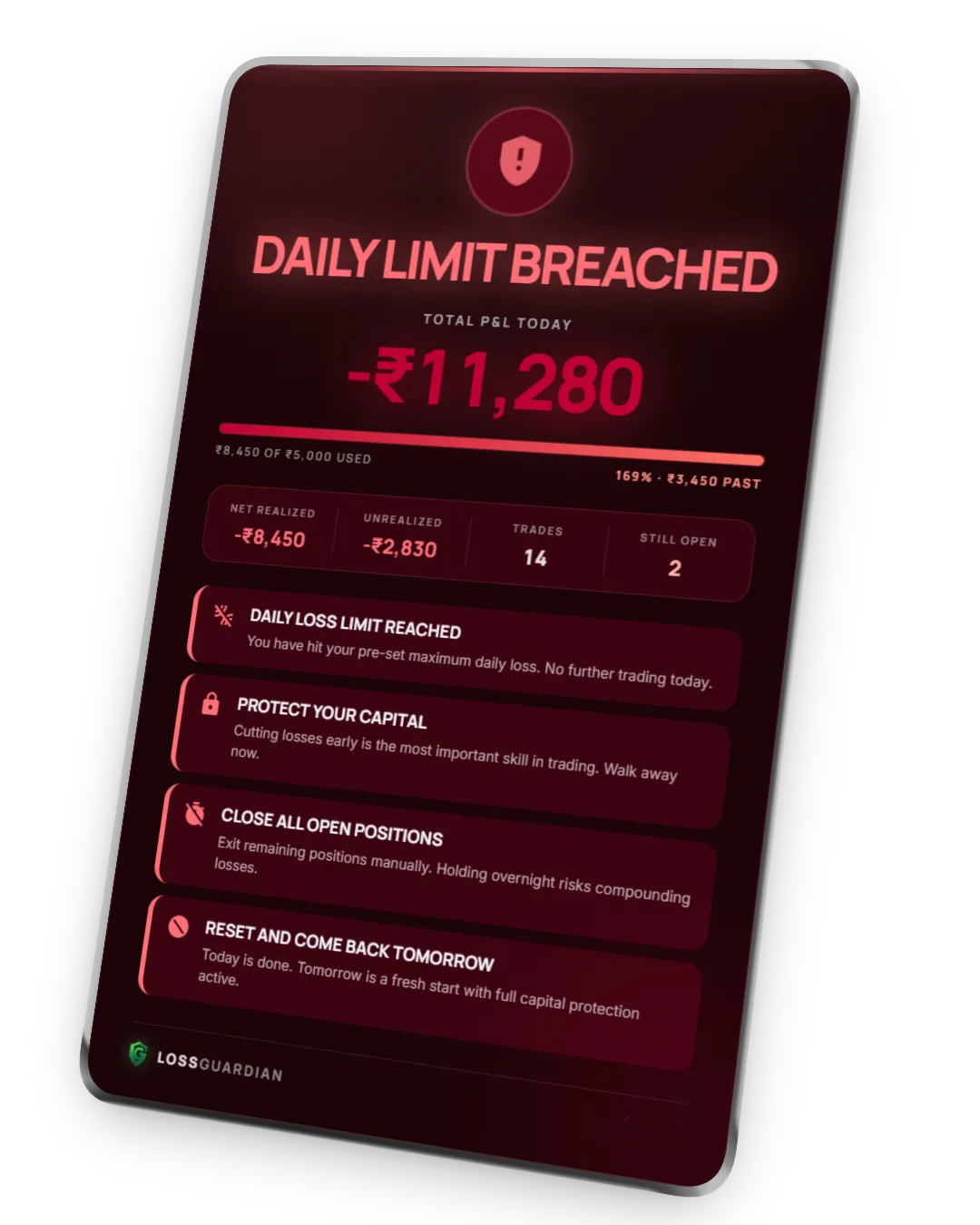
When the loss limit breaks
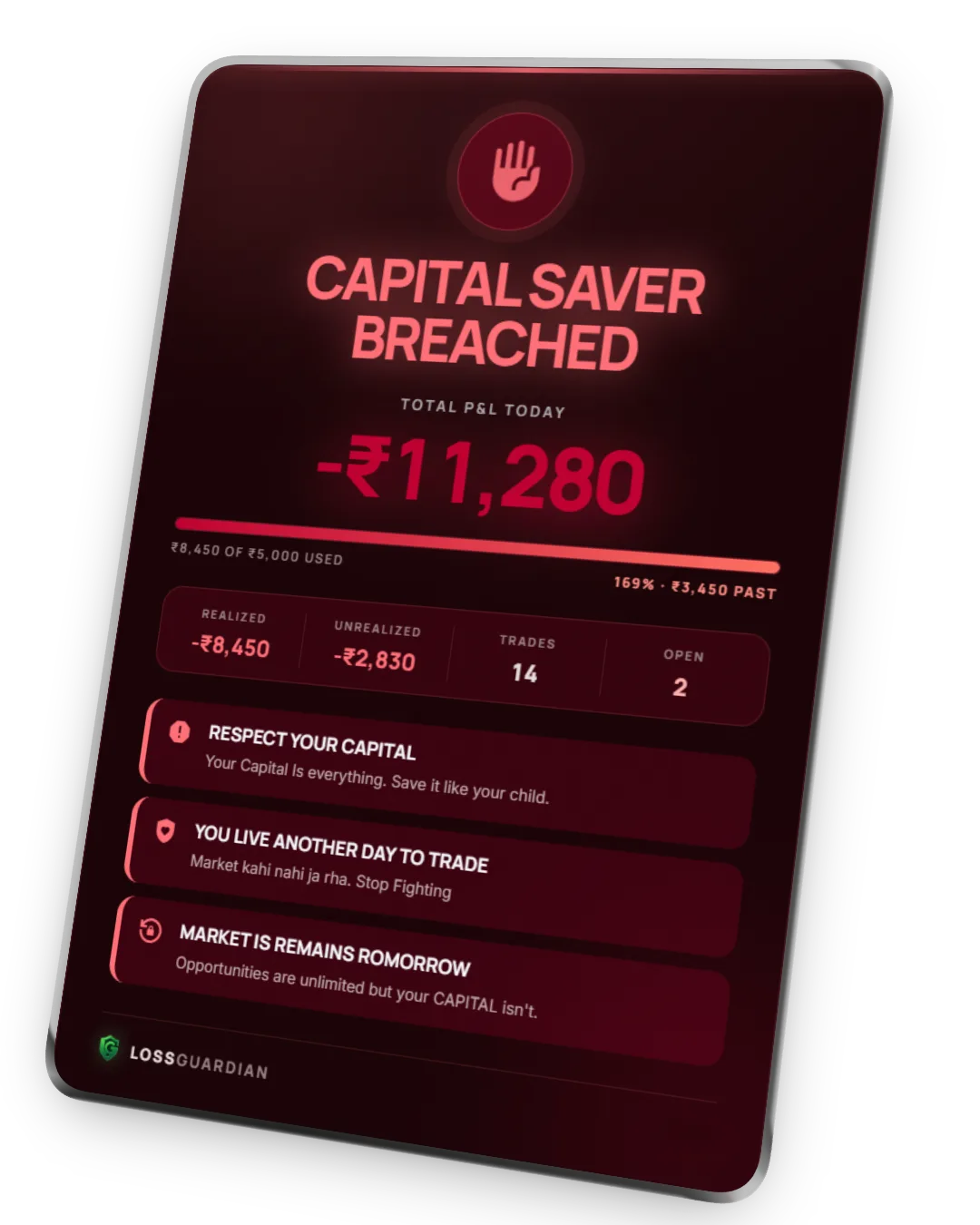
The day ends. Properly.
Breach your capital saver and the hard stop fires. It cannot be dismissed, and one click takes you to your broker’s own kill switch. The last line is the one most traders need to read: I was not disciplined today.
Your first 7 days, free
One week. Then you see yourself the way your P&L already does.
Install, sign in, connect your broker. Your 7 free days start at that first connect, not at sign-up.
Trade exactly as you normally do. LossGuardian watches every session and records every rule you break.
Open Past Performance and pick Week. Your discipline score, your daily P&L, and the rule you broke most, counted.

Past Performance, as it looks after a month. The line at the top names your most frequent rule-break.
“What broke your rules this period.”
Impulse re-entries, overtrading, the execution window, the daily loss. Every alert is counted, so the pattern stops being a feeling and becomes a number you can work on.
If the week shows nothing worth paying for, walk away. You will not be charged.

Installed in a few minutes.
- 1Run the installer
No admin rights needed. If Microsoft WebView2 is missing, the installer adds it.
- 2Create your account or sign in
The same account you use on this website.
- 3Connect your broker
Zerodha, Fyers, Dhan, Upstox, Angel One or Groww. You log in on your broker’s own page.
- Read-only. Always.
LossGuardian never places, changes or cancels an order. Every trade decision stays yours.
- Signed by LIQUIDITY TRADER MEDIA & TECH PRIVATE LIMITED
A new app can still show a Windows SmartScreen prompt. Check that the publisher reads LIQUIDITY TRADER MEDIA & TECH PRIVATE LIMITED, then choose Run anyway.
- System requirements
Windows 10 (version 1709) or Windows 11, and an internet connection.