
How-to guides
Best automatic Kill Switch for Upstox traders: what to look for (2026)
Looking for the best Kill Switch option in Upstox? What the Upstox Kill Switch does, why it is hard to press after a loss, and how an automatic one works for Upstox traders.
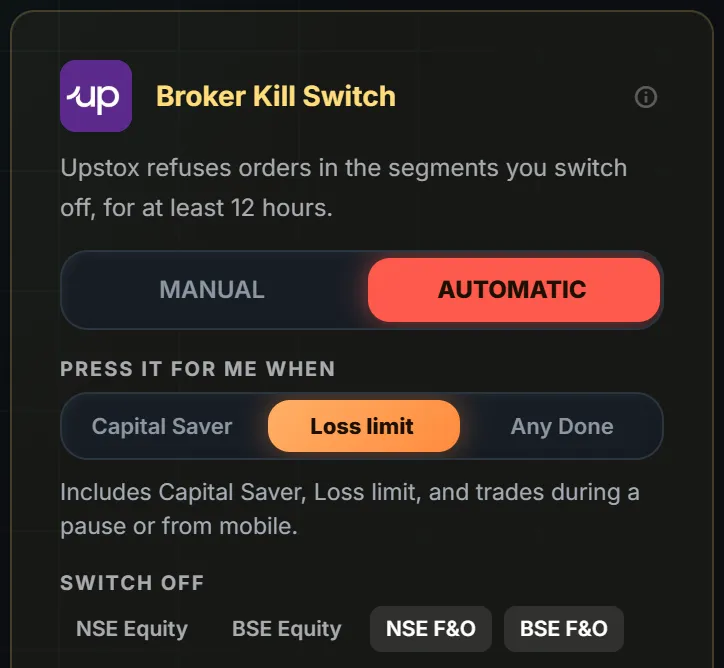
Quick answer: The Upstox Kill Switch is Upstox's own feature. It makes Upstox refuse your orders in the segments you switch off, for at least 12 hours. The best automatic Kill Switch for Upstox is one that presses it for you, only with your consent, only after you are out of your trades. LossGuardian does that.
You hit your loss limit at 11:40. You know you should stop. The Upstox app is open, and the next trade is two taps away.
Most traders searching "Kill Switch option in Upstox" already know why they need it. The hard part is pressing it after a loss.
What the Upstox Kill Switch does
You choose the segments to switch off. Upstox then refuses new orders in them.
- You choose the segments. Switching off F&O leaves Equity open.
- It lasts at least 12 hours. Nobody can lift it early.
- Close your positions first. Upstox refuses otherwise. It cancels your pending orders for you, but it will not close a position.
That last point matters. A Kill Switch is for ending the day, not for escaping a trade that is still losing.
Why people skip it
The switch only works if you use it. After a loss, the same urge that made the last trade is now talking you out of the stop.
So the real question is not "where is the Kill Switch in Upstox". It is "who presses it when I will not".
What to look for in an automatic Kill Switch for Upstox
Check these five things before you trust any tool with it.
- It presses Upstox's own Kill Switch. It should not pretend to be a new switch of its own.
- It asks for your consent first. Automatic should be off until you turn it on.
- It waits until you are out of your trades. It must never close a position for you.
- You choose the stops that lead to it. Capital Saver only, a loss limit, or any done-for-the-day stop.
- It never places or cancels an order. Read-only on your trades.
How it works with LossGuardian
With your consent, LossGuardian presses Upstox's own Kill Switch for you when you are done for the day. On Upstox, Automatic usually needs nothing from you. If it cannot finish on its own, Upstox may ask for the code it emails you.
Manual is also there. One click takes you to the Upstox page, and you press it yourself.
Both are optional. Automatic stays off until you choose it. You can change the settings outside market hours.
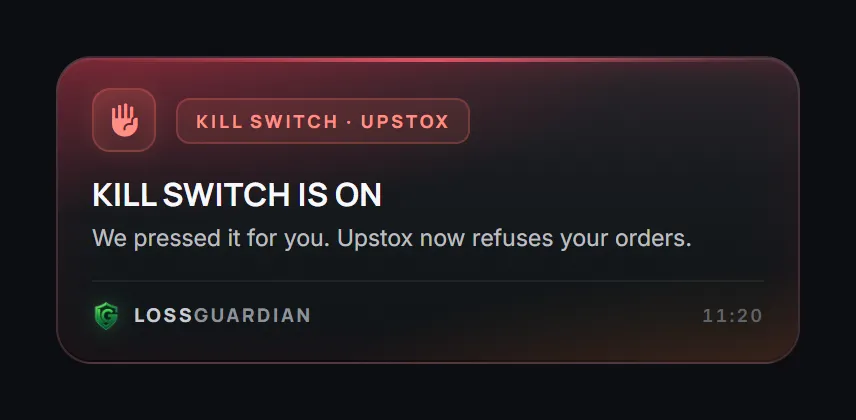
When it is done, you see this.
It is more than a Kill Switch
A Kill Switch ends one bad day. It does not tell you why the day went bad.
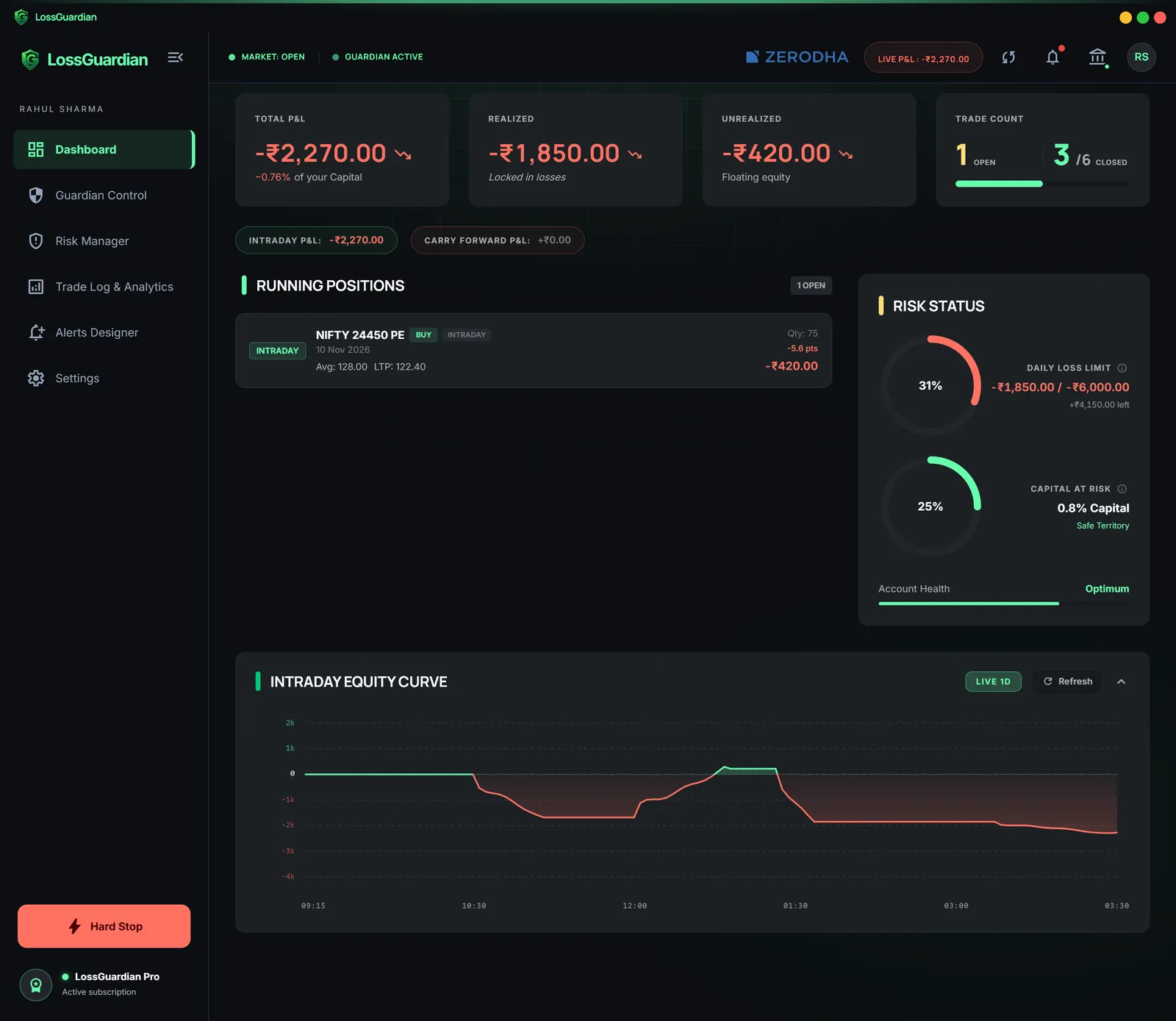
LossGuardian also warns you before you reach the limit, and keeps your data so you can see the pattern.
Where to go next
- The full walk-through: Upstox Kill Switch, how the automatic one works.
- The wider problem: how to stop overtrading on Upstox.
- All brokers and how long each lasts: Automatic Kill Switch.
You can try LossGuardian free for 10 days, no card needed. Download it here.
Questions traders ask
Where is the Kill Switch option in Upstox?
In your Upstox account, open the page where you manage your segments. There you switch off the segments you want, such as F&O, and confirm. Menu names can change, so check the Upstox help centre.
How do I activate the Kill Switch in Upstox?
Close your open positions first, because Upstox refuses otherwise. Then switch off the segments you want and confirm. Upstox then refuses new orders in them for at least 12 hours.
Which is the best automatic Kill Switch for Upstox?
Look for one that presses Upstox's own Kill Switch, asks for your consent first, waits until you are out of your trades, and never places or closes an order. LossGuardian does this for Upstox when you turn on Automatic.
Does Upstox have an automatic Kill Switch?
The Kill Switch itself only turns on when someone presses it. With your consent, LossGuardian can press it for you when you are done for the day.
Can LossGuardian close my trades on Upstox?
No. It never places, changes or cancels an order and never closes a position. You close your trades yourself.
LossGuardian watches your positions across six Indian brokers and warns you the moment you cross your own daily loss limit. It is read-only: it never places, modifies or cancels an order.
Download LossGuardian