
How-to guides
Why LossGuardian is better than an ordinary Kill Switch or risk management software
An ordinary Kill Switch stops you for a day. LossGuardian also warns you, shows your data and where you go wrong, and builds discipline over time, with the control in your hands.
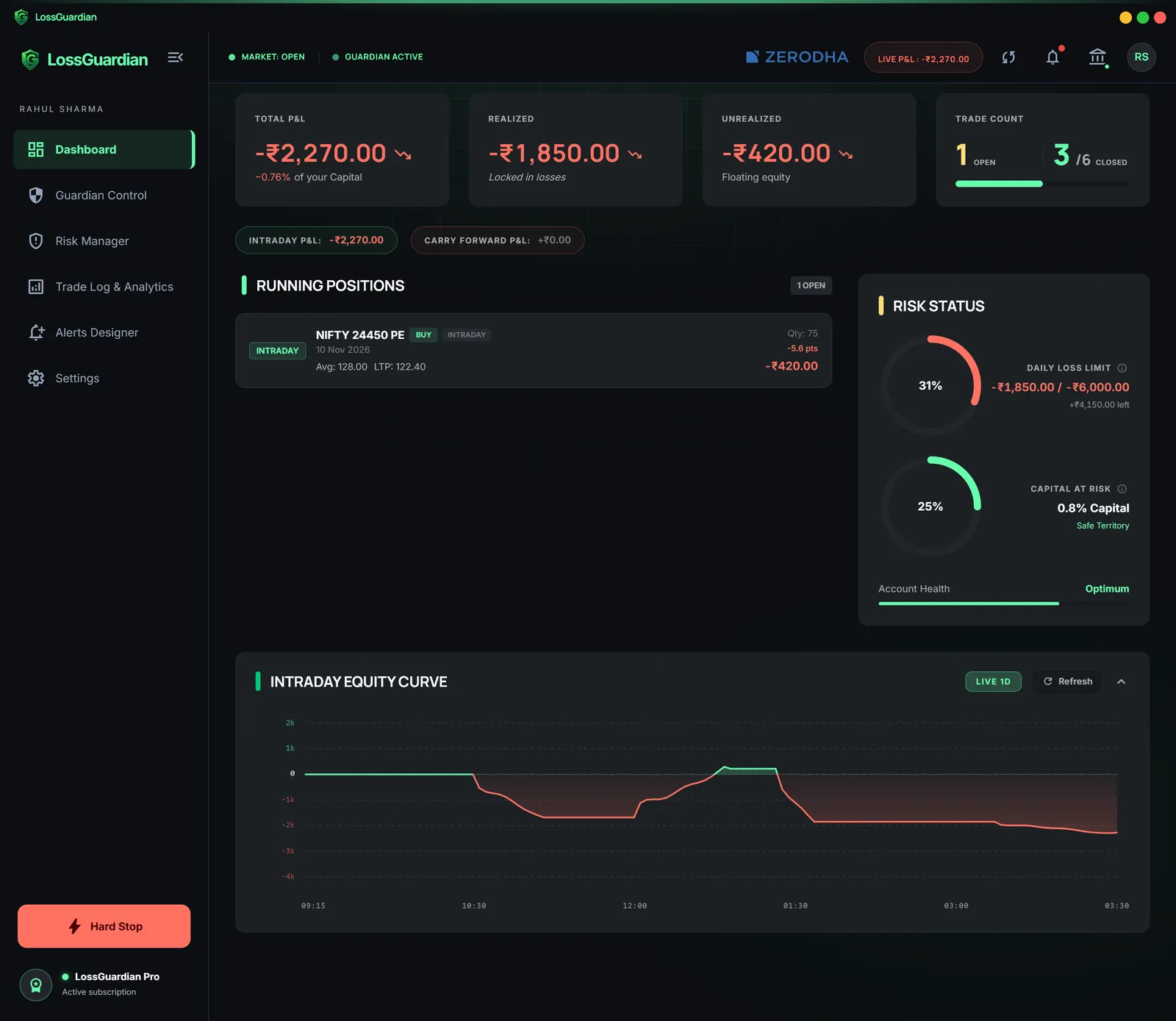
Quick answer: An ordinary Kill Switch does one thing. It stops your orders for a while. LossGuardian does that too, through your broker's own Kill Switch, but it also warns you early, shows your data, finds where you make mistakes and builds discipline over time. And the control stays in your hands.
Many tools stop at the stop. Here is what that leaves out.
What an ordinary Kill Switch does
It refuses your orders after you press it. That is useful.
But it has three limits:
- It does not warn you before the damage.
- It does not tell you why the day went wrong.
- It does not make you better. The same day can happen again next week.
The control stays with you
LossGuardian never places, changes or cancels an order. It never closes a position. You set your own rules.
You also choose how it ends a bad day:
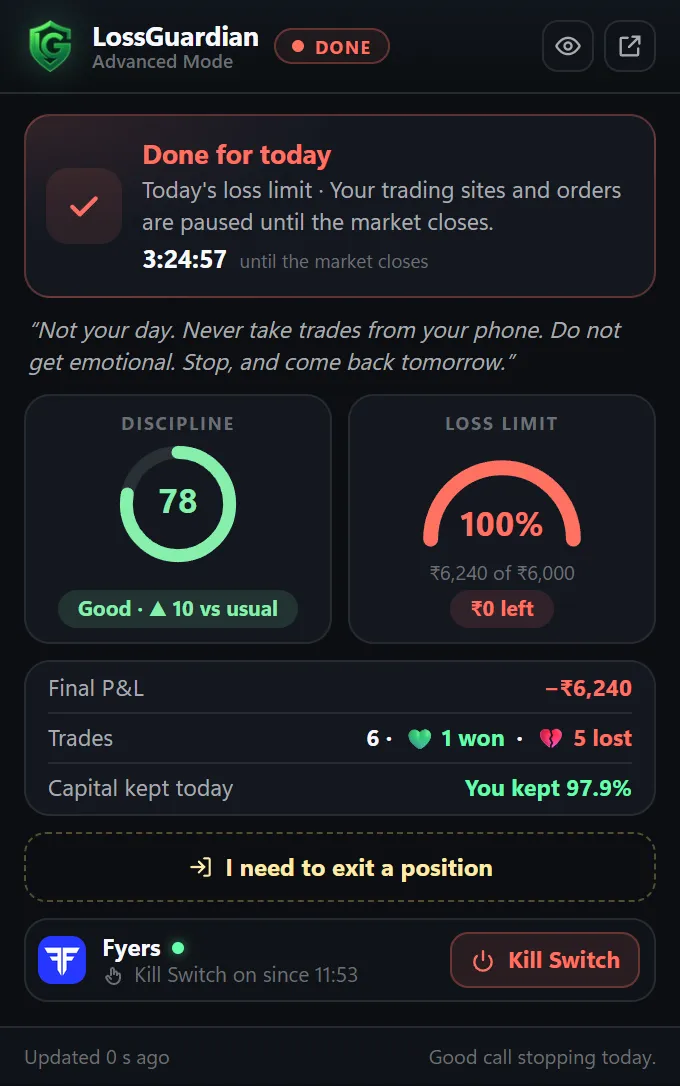
- Manual. One click takes you to your broker's Kill Switch page, and you press it.
- Automatic. With your consent, it presses your broker's own Kill Switch for you when you are done for the day.
Automatic is optional and stays off until you turn it on.
On a done day, this is what you see in your browser.
It teaches, it does not only stop
A switch cannot teach you anything. LossGuardian is built to change how you trade over time.
- It warns you. Alerts come as you near your limits, long before the stop.
- It builds discipline. A discipline score shows how well you followed your own rules.
- It builds good psychology. You see your own habits, one day at a time, and not a lecture.
Read more in LossGuardian teaches discipline, not lockouts.
It shows your data
Your trades come in from your broker automatically. You see:
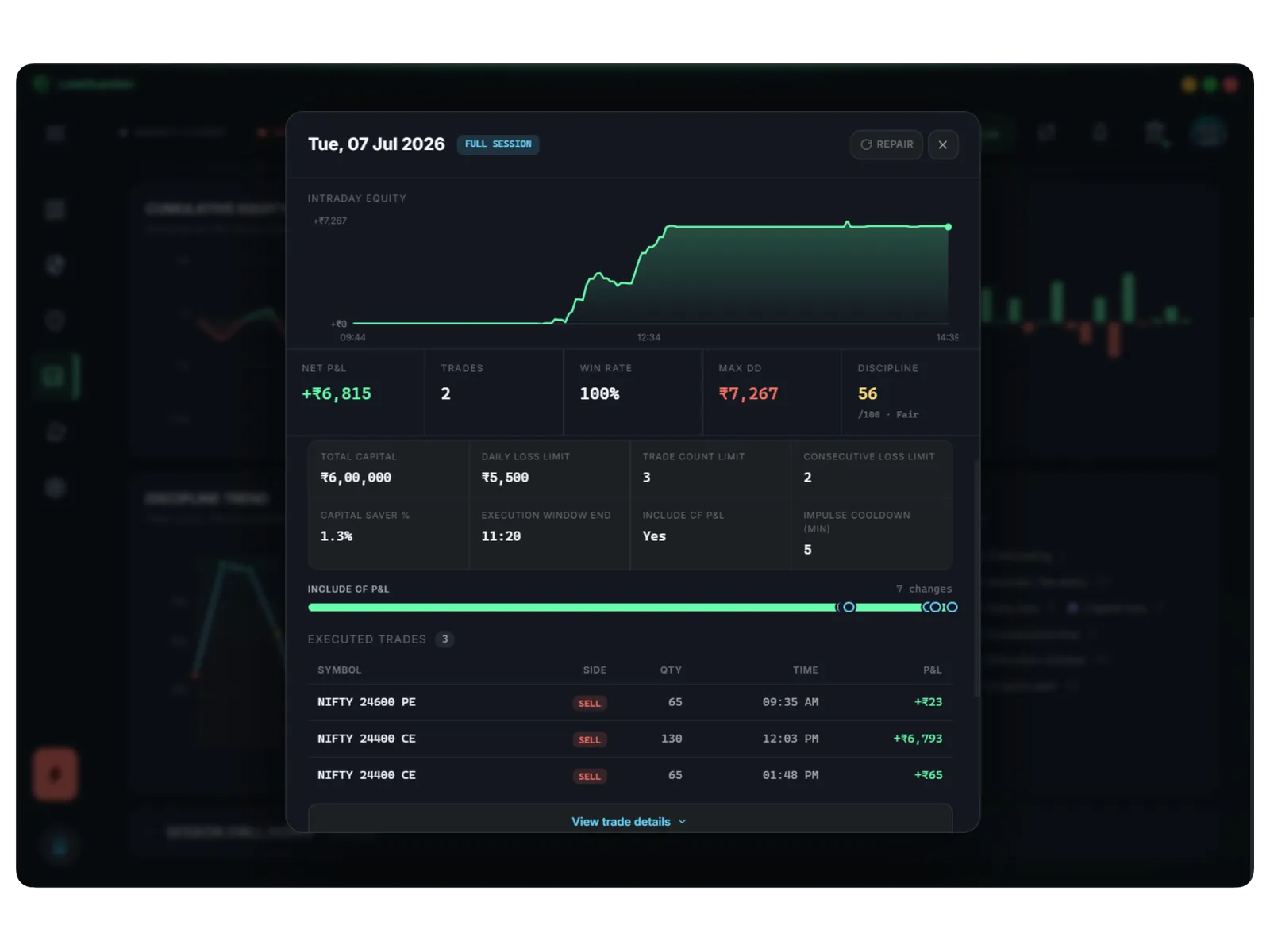
- Win rate, profit factor and drawdown.
- Your equity curve, day by day.
- Every day in full, with the rules you had set.
It shows where you go wrong
Most traders think they know their mistakes. The data usually says otherwise.
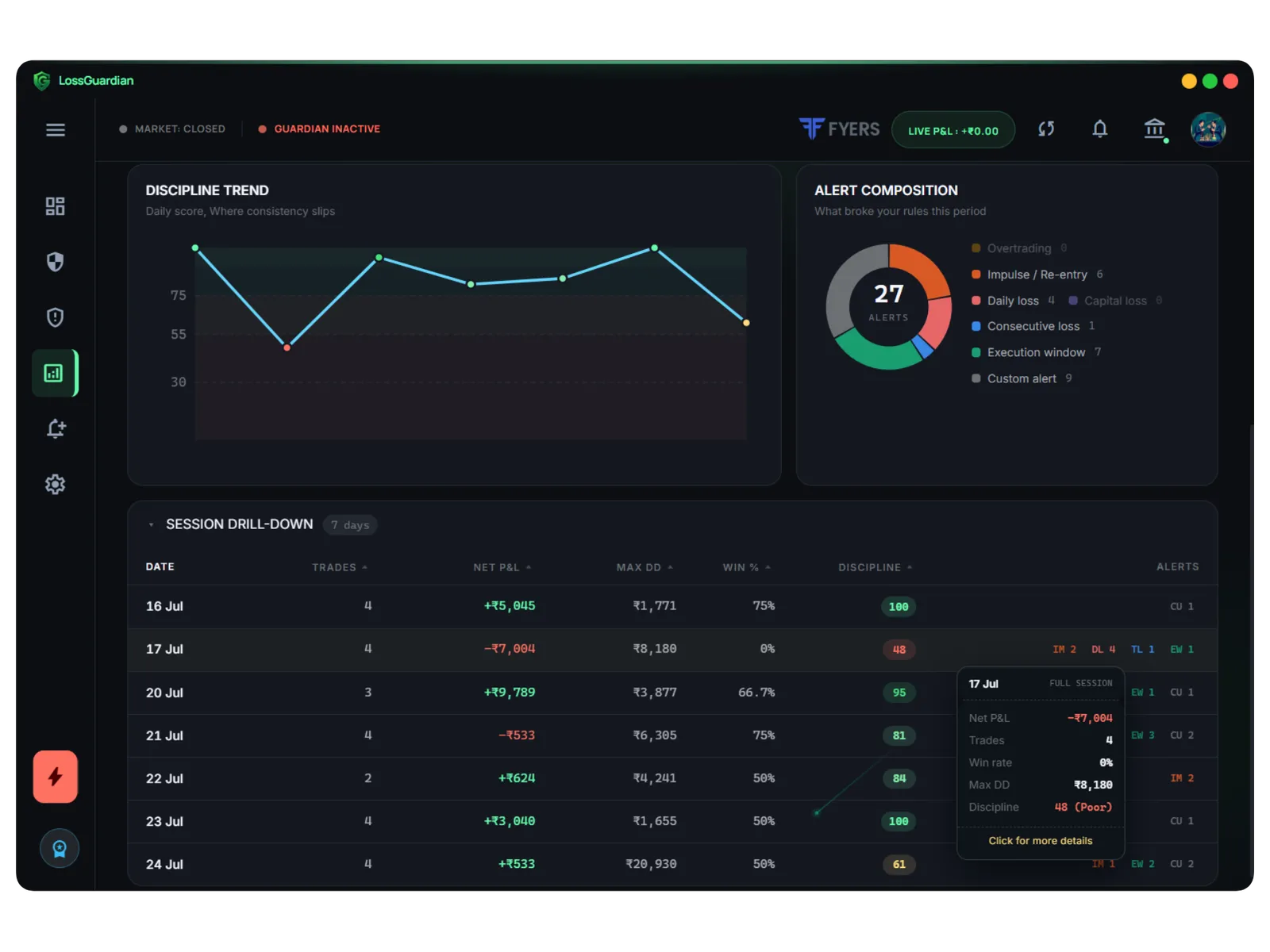
LossGuardian shows the rules you break most and when. Maybe it is the trade after a loss, or the second hour after lunch. Once you see the pattern, you can fix one thing at a time. See trading performance analysis.
It plans your risky days
LossGuardian also looks at your weekdays. If your Wednesdays keep costing you, you can make Wednesday a no-trade day, or pause only the hours you go wrong.
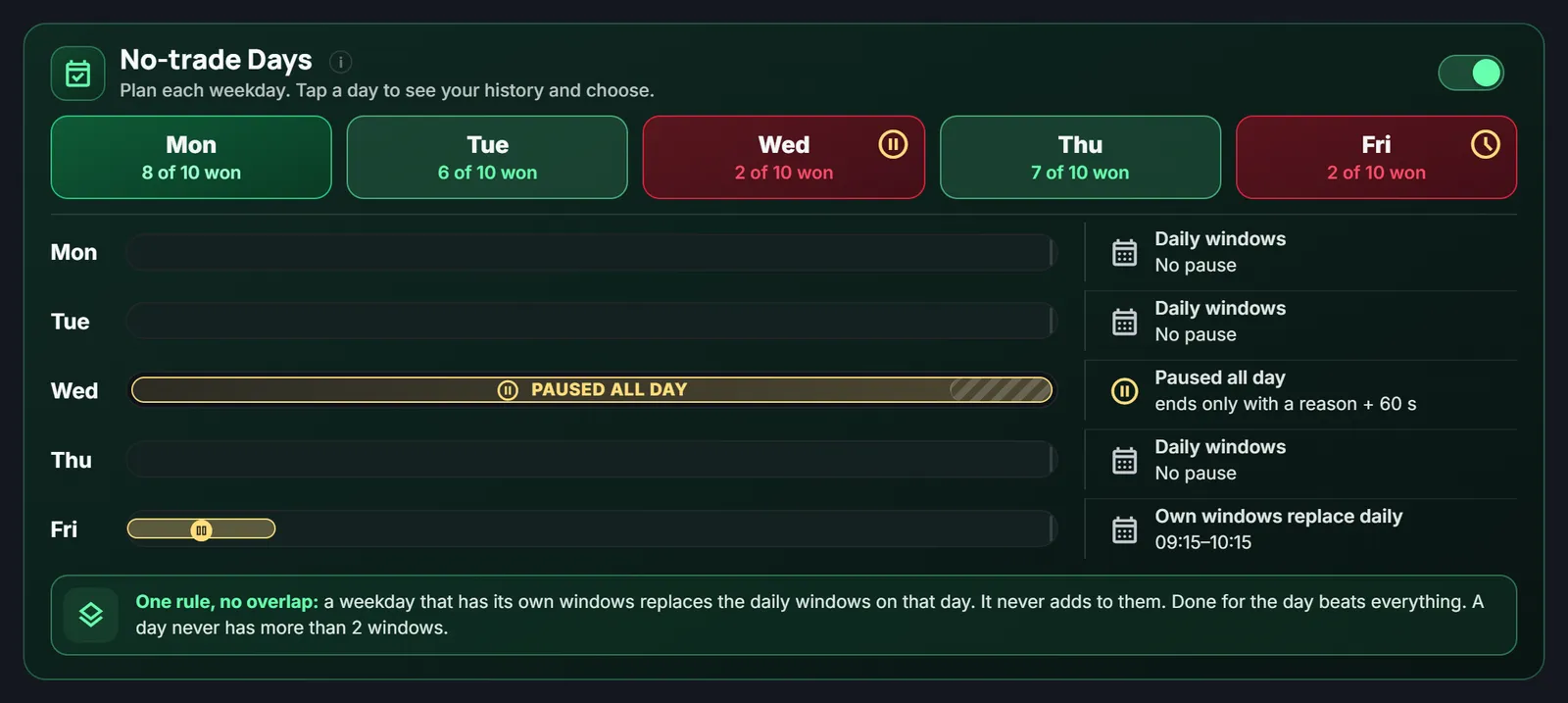
And when you are winning, Profit Lock slows you down after your target, so a good morning is not given back by 3 PM. Read which day is best to trade and how to stop giving back profits.
Your own track, your own style
Nobody becomes a steady trader by copying someone else. You become one when you know your own track: your style, your hours, your habits.
LossGuardian gives you that record. The goal is not a better tool. The goal is a better you.
Side by side
| Ordinary Kill Switch | LossGuardian | |
|---|---|---|
| Stops new orders for a period | Yes | Yes, through your broker's own switch |
| Warns you before the limit | No | Yes |
| Shows your data | No | Yes |
| Finds your repeat mistakes | No | Yes |
| Builds discipline over time | No | Yes |
| You stay in control | You press it | You choose Manual or Automatic |
Where to go next
- Compare tools: best risk management app for Indian traders.
- Overtrading: best software to stop overtrading.
- Your journal: automatic trading journal, coming soon.
You can try LossGuardian free for 10 days, no card needed. Download it here.
Questions traders ask
What is the difference between a Kill Switch and LossGuardian?
A Kill Switch is one action by your broker that refuses orders for a period. LossGuardian is the whole routine around it. It warns you early, shows your data, finds your repeat mistakes and, with your consent, presses your broker's own Kill Switch for you.
Is LossGuardian a better stop overtrading software than a plain Kill Switch?
A plain Kill Switch ends one bad day. LossGuardian also builds the habit of stopping, because it shows you how often you break your own rules and where.
Who stays in control with LossGuardian?
You do. You set the rules and choose Manual or Automatic. Automatic is off until you agree. LossGuardian never places, changes or cancels an order.
Does LossGuardian guarantee profits?
No. Nobody can. It helps you follow your own rules and learn from your own data.
LossGuardian watches your positions across six Indian brokers and warns you the moment you cross your own daily loss limit. It is read-only: it never places, modifies or cancels an order.
Download LossGuardian