 LossGuardian
Risk strategy
Best risk management app for Indian traders: 9 things to check before you choose
Looking for the best risk management app for Indian F&O traders? Here is how to choose one: read-only access, loss limits, trade limits, analytics, broker support and a fair price.
If you search for the best risk management app for Indian traders, you will find pages that all say they are the best.
We would rather help you decide for yourself. The truth is that the best app is the one that fits how you lose money. A trader who blows up on one huge loss needs something different from a trader who bleeds slowly through twenty small, unplanned trades.
Here is how to check any app, ours included, in nine steps.
First, why a risk app at all?
SEBI's study of FY26 found that 87.7% of individual F&O traders lost money. The average loss was ₹1.17 lakh per trader.
Many traders know the rules. They have a stop loss, and a limit in their head. What they often do not have is anything telling them, in the moment, that they have crossed it.
Your broker gives you a stop loss for a trade. It does not give you a stop loss for your day. That gap is what a risk management app fills.
The 9 things to check
1. Is it read-only?
Ask this first. Can the app place, change or cancel orders in your account?
Some apps need that permission so they can close positions for you. It sounds helpful, but it means a bug, or a hack, could act on your money. A read-only app sees your positions and orders but can never trade. For most retail traders that is the safer design.
2. How do you log in, and where do your keys go?
You should log in on your broker's own page. You should never type your broker password into a third-party app.
Some brokers need you to create an API key. If so, ask where it is stored. Keys belong in your computer's own secure keychain, not on someone else's server.
3. Where is your trading data kept?
Your trades are private. Some apps upload everything to their servers. Others keep it on your own computer. Ask before you connect.
4. Does it watch more than your loss?
A daily loss limit matters, and it should include your open positions. But a good app also watches the habits that cause the loss:
- Trade count, a maximum number of trades a day
- Losing streaks, a break after several losses in a row
- Quick re-entries, the sign of revenge trading
- A cutoff time for new trades
- A floor for your capital, a hard limit you cannot talk yourself past
If an app only shows your P&L, it is a display, not risk management.
5. Are the alerts impossible to ignore?
A small popup is easy to close when you are angry. Look for alerts that are big, always on top, and show your real numbers. The best ones let you write the message yourself, on a calm day, for the version of you who will read it on a bad one.
6. Does it count trades correctly?
Broker tradebooks list every partial fill on its own line. An app that counts each fill as a trade gives you wrong numbers and false alerts. Ask how a trade is counted. One entry and its exit should be one trade, however many parts it filled in.
7. Does it work with your broker, at a fair price?
Check that your broker is on the list before you read anything else. Then check that the price does not change by broker. Prices should be shown in rupees, and you should know whether GST is added.
8. Does it show you what you did wrong?
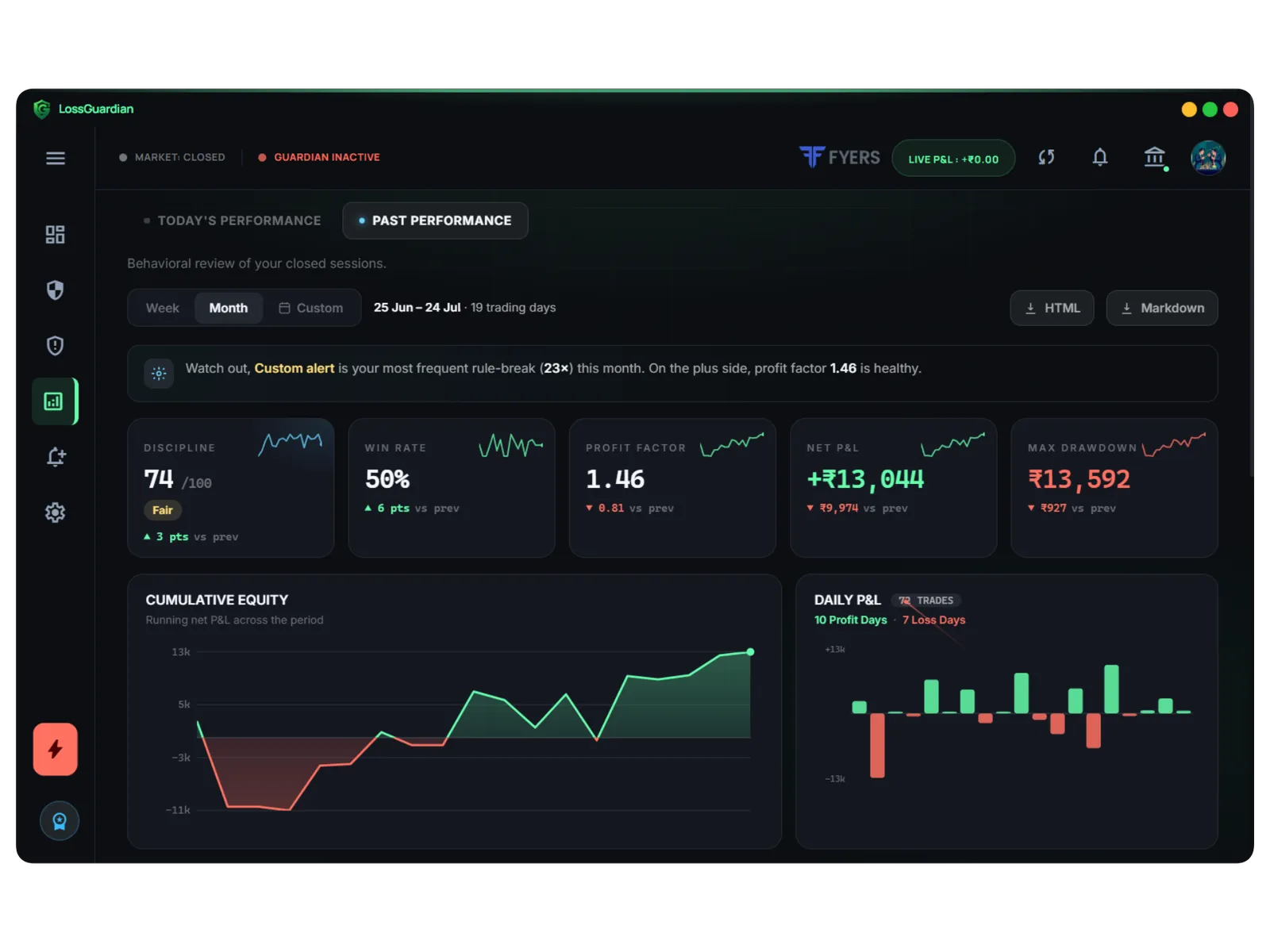
Alerts help today. Analytics help for the rest of your career. Look for a discipline score, win rate, profit factor, drawdown, and a trade by trade review of each session. Better still, a view that shows which of your own rules you break most.
An app that only stops you teaches you nothing. An app that shows you the pattern can make itself unnecessary.
9. Can you try it properly before paying?
A free trial with no card is a good sign. Read the refund policy as well, before you pay, not after. And check what the app runs on, so you do not find out after you pay. A clear "Windows only for now" is better than silence.
Three kinds of tools, and what each is good for
| Tool | What it does well | What it misses |
|---|---|---|
| Broker kill switch | A hard block on a segment, from your broker | You have to switch it on yourself, at the moment you least want to |
| Trading journal | Review of past trades | It tells you after the damage is done |
| Risk management app | Watches you live, warns you, then shows the pattern | Cannot trade for you, and should not |
They work well together. A journal tells you what happened. A kill switch is your emergency brake. A risk app is the one watching the road.
How LossGuardian answers the checklist
We built LossGuardian with this list in mind. Here is where it stands, with no stretching:
- Read-only: it cannot place, change or cancel any order.
- Login and keys: you log in on your broker's own screen and we never see your password. Where a broker needs an API key, it is kept in your operating system's secure keychain on your own machine.
- Data: stored on your own computer, separate for each broker account.
- Behaviour: daily loss limit, Capital Saver, a trade limit, a losing streak cooldown, quick re-entry detection and a cutoff time.
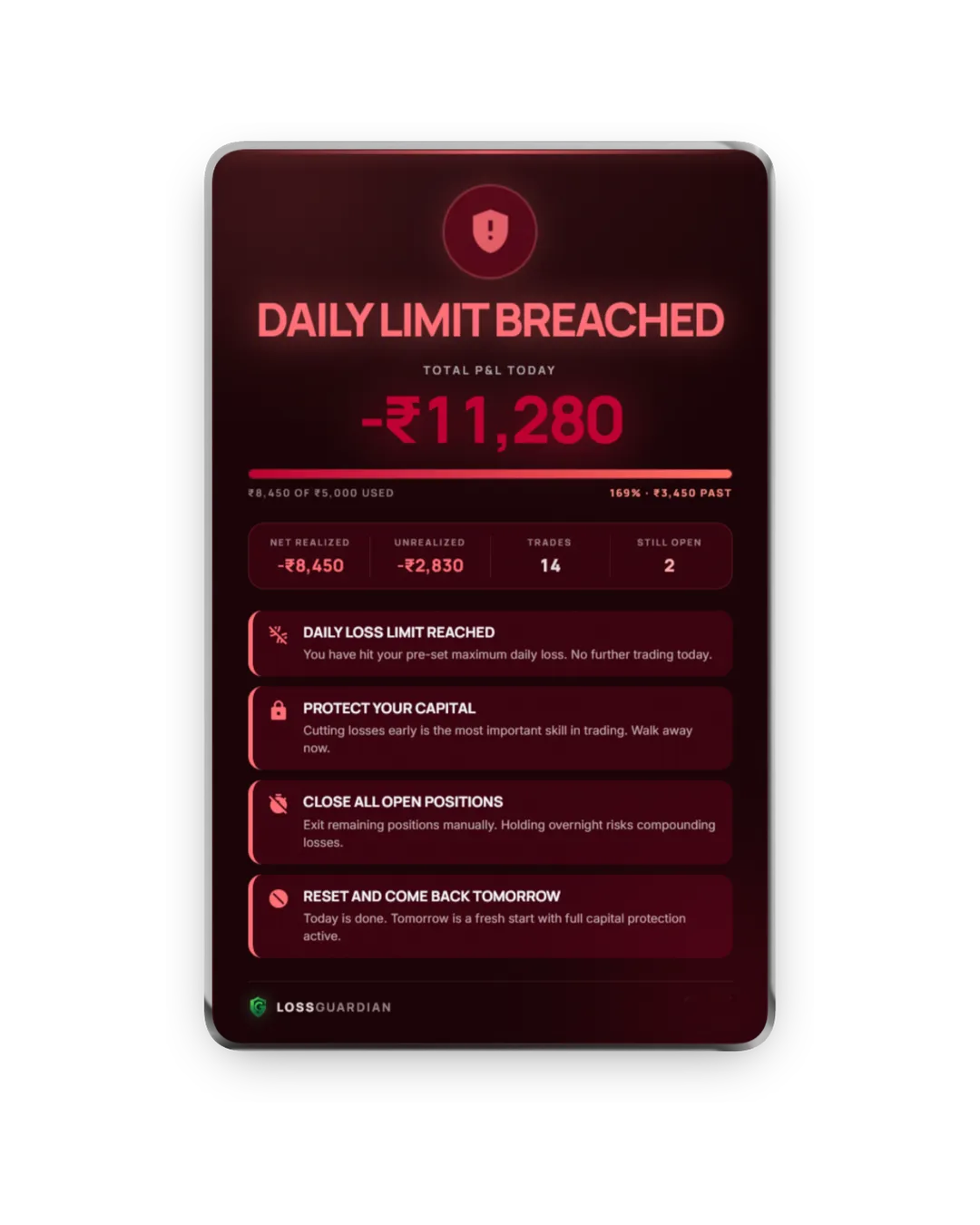
- Alerts: a full-screen hard stop alert at your limit, plus advanced custom alerts you design yourself, triggered by a profit target, a P&L level, a set time or a repeating interval.
- Counting: partial fills are grouped by order, so one trade is one trade.
- Brokers and price: Zerodha, Fyers, Dhan, Upstox, Angel One and Groww, at one price for every broker. See pricing.
- Analytics: a discipline score, win rate, profit factor, drawdown and a session by session drill-down. See trading journal analytics.
- Trial: 7 days free with no card. Paid plans are not refunded, so use the trial to decide. LossGuardian runs on Windows today. macOS is on the roadmap.
Add a position size rule
An app can warn you about the day. You still decide how big each trade is. A simple rule, such as risking 1% of capital per trade, keeps any one loss small. Our free position size calculator turns that rule into a number of lots. For the stop loss side, read how to set a stop loss in options.
The best app is the one you eventually need less
Whatever you choose, ask one last question: after six months, do I trade better without it?
A good risk management app builds habits you keep. If it makes you dependent, it has not done its job. We wrote about this in why LossGuardian teaches discipline instead of locking you out.
If your main problem is taking too many trades, start with best software to stop overtrading. For the basics of limits and sizing, read how to manage risk in trading.
Questions traders ask
What is the best risk management app for Indian traders?
The best one is the one that fits how you lose money. For most F&O traders that means an app that is read-only, watches a daily loss limit, a trade limit and losing streaks, supports your broker, and shows you your mistakes afterwards. Use the checklist in this guide to compare any app, including ours.
What is a risk management app for traders?
It is software that connects to your broker, watches your positions and P&L through the day, and warns you when you break limits you set yourself, such as a daily loss limit or a maximum number of trades.
Do I need a risk management app if my broker has a kill switch?
A broker kill switch blocks trading only after you switch it on, usually when you least want to. A risk management app watches your behaviour all day and warns you before and when you cross your own limits. Many traders use both.
Which risk management apps work with Zerodha, Fyers, Dhan, Upstox, Angel One and Groww?
LossGuardian supports all six, read-only, at the same price for every broker. When you compare other apps, check the list of supported brokers first, because many cover only one or two.
Is a read-only risk management app safe?
A read-only app can see your positions and orders but cannot place, change or cancel anything, so it cannot trade on your behalf. That makes it the safer design for most retail traders.
LossGuardian watches your positions across six Indian brokers and warns you the moment you cross your own daily loss limit. It is read-only: it never places, modifies or cancels an order.
Join the waitlist