 LossGuardian
Risk strategy
How to set a stop loss in options trading: a simple guide for Indian traders
Where to put a stop loss on an option, how to size the trade around it, and why your stop should be decided before you click buy. Plain steps, no jargon.
You buy a Nifty call at ₹120. It drops to ₹100. "It will come back." It drops to ₹80. Now you cannot sell, because selling makes the loss real.
At ₹50 you finally sell, or worse, you hold it to expiry.
Every options trader has had this day. The fix is not a better entry. It is a stop loss decided before the trade, and the discipline to keep it.
Here is how to set one, in plain steps.
Step 1: Decide where your idea is wrong
A stop loss is not a number you pick because it feels comfortable. It is the price that tells you your trade idea was wrong.
Ask: "If price goes here, would I still want to be in this trade?" If the answer is no, that is your stop.
For example, you buy a call because Nifty bounced off a support level. If Nifty breaks clearly below that support, the reason for your trade is gone. That break is your stop.
Step 2: Put the stop on the premium or on Nifty
There are two common ways to place it.
Stop on the option premium. You place a stop loss order on the option itself, say at ₹100 for a ₹120 entry. It is simple and works with a normal stop order at your broker.
Stop on the Nifty level. You watch Nifty, and exit the option when Nifty breaks your level. This follows your chart idea more closely, but you need an alert or the discipline to act at once.
Many traders combine them. They read the level on the Nifty chart, then work out roughly where the option will be at that level and place the stop there.
Step 3: Size the trade around the stop
This is the step most traders skip, and it matters most.
First decide how much of your capital one trade may lose. Many traders keep it at 1% or 2%. On ₹3,00,000, 1% is ₹3,000.
Then work out what one lot loses if the stop is hit:
- Entry ₹120, stop ₹100, so 20 points of risk.
- Nifty lot size 65, so one lot risks 20 × 65 = ₹1,300.
- ₹3,000 ÷ ₹1,300 = 2 lots (always round down).
Now your stop and your size agree. If the stop is hit, you lose about ₹2,600, inside your rule. Our free position size calculator does this maths for you.
If even one lot risks more than your limit, the trade does not fit your account. Use a tighter stop that still makes sense on the chart, pick a cheaper contract, or skip it. Do not stretch your risk rule to make it fit.
Lot sizes change from time to time. Nifty moved to 65 in January 2026. Always check the current lot size in your broker's option chain.
Step 4: Place the stop when you enter, not later
The best time to place a stop is right after your entry fills, while you are calm. Every minute after that, the trade starts to feel personal.
If you plan to "watch it and exit manually", be honest with yourself about how often that has worked when the trade went against you.
Step 5: Never move it further away
You can move a stop closer to lock in profit. That is called trailing. You should never move it further away to "give the trade room".
Moving a stop away is how a planned ₹2,600 loss turns into an unplanned ₹10,000 loss. If you feel the urge, it usually means the trade is already wrong.
Options have one more risk: time
Option buyers also lose to time decay. Even if Nifty goes nowhere, the premium slowly falls, faster as expiry gets closer.
So it helps to have a time stop as well: "If this has not moved my way by 2 PM, I exit." On expiry day, time decay is at its strongest. We cover that in expiry day trading risk.
When a stop loss is not enough
A stop loss is not a guarantee. In a very fast move or a gap, price can jump past your stop. A stop-market order then fills at a worse price, and a stop-limit order may not fill at all.
There is a bigger problem too: the trader. Stops get cancelled, widened, or never placed on the trades taken in anger after a loss. One trade's stop does nothing about the five trades that come after it.
That is why a stop per trade works best with a limit per day. Your stop protects one trade. A daily loss limit protects the whole day.
Where LossGuardian helps
LossGuardian does not place stop loss orders. It is read-only and never places, changes or closes an order. What it adds is the second layer: limits for the whole day, watched against your real P&L from your broker.
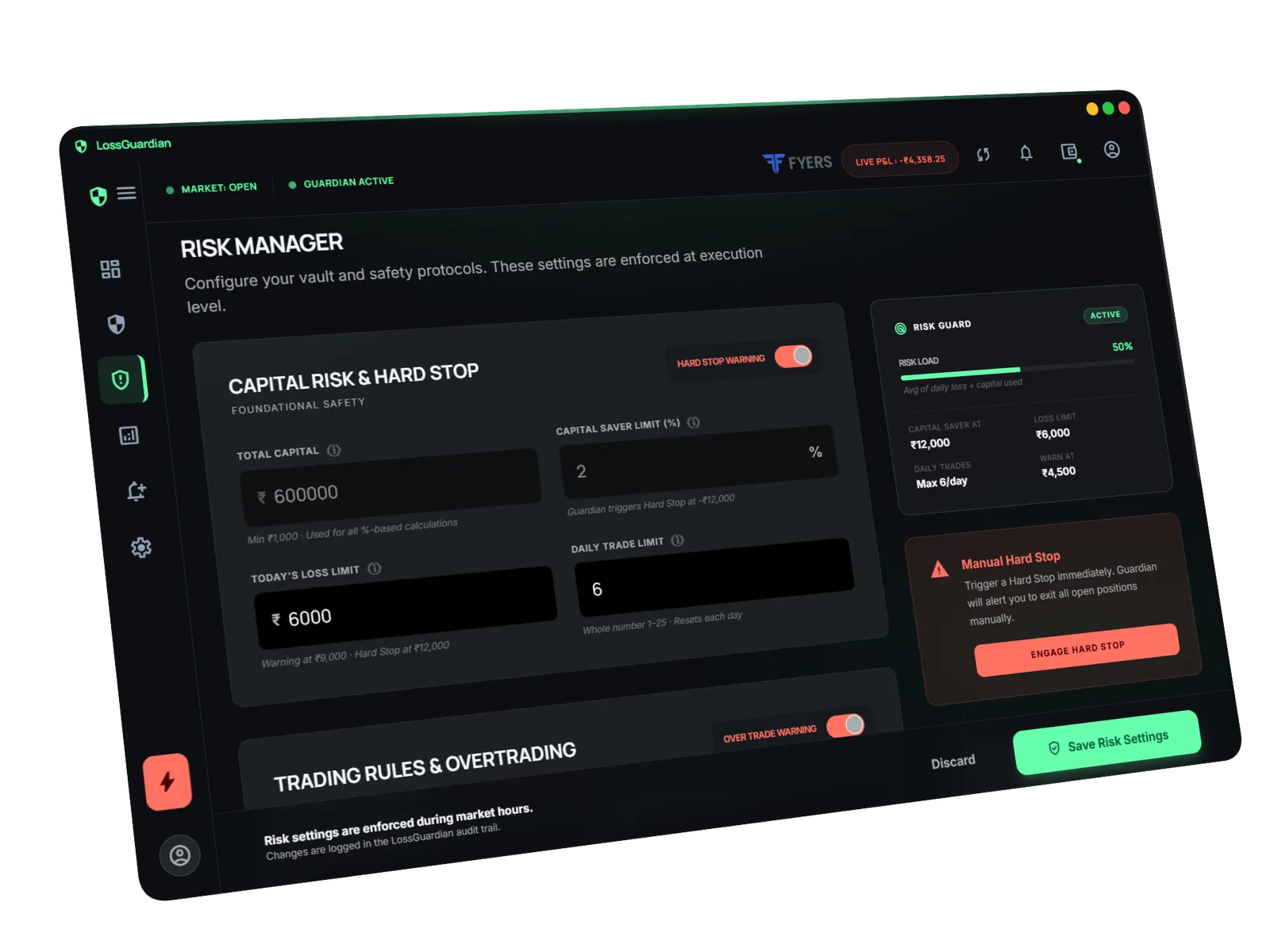
You set your capital, a daily loss limit, a hard floor called Capital Saver, and a maximum number of trades for the day.
As your losses get close to the limit, you get a warning. When you cross it, a full-screen hard stop alert tells you to exit and stop for the day. If you take loss after loss, an Impulse Guard alert tells you to step away.
So when one stop fails, or gets ignored, the day still has a floor. Read more about the daily loss limit and Capital Saver.
The stop loss is a decision, not an order
The order is the easy part. The hard part is deciding before the trade where you are wrong, sizing so that being wrong is affordable, and then leaving the stop alone.
Do that on every trade, and a losing trade becomes what it should be: a small, planned cost of doing business.
Questions traders ask
How do I set a stop loss for options?
Decide the price where your trade idea is wrong, using the chart of the index or the option. Set your stop there, then work out how many lots you can take so that hitting the stop loses only the amount you planned to risk.
Should my stop loss be on the option premium or on Nifty?
Both work. A premium stop is simple to place as an order. A stop based on the Nifty level matches your chart idea better. Many traders read the level on Nifty and then place the matching stop on the option.
What percentage stop loss should I use for options?
A fixed percentage, like 30% of premium, ignores the chart. A better way is to set the stop where your idea is wrong, then reduce your size until the loss at that stop fits your risk per trade.
Can a stop loss fail to protect me?
Yes. In a very fast move or a gap, price can jump past your stop and you get filled worse, or not at all with a limit order. That is why a daily loss limit is a useful second layer.
LossGuardian watches your positions across six Indian brokers and warns you the moment you cross your own daily loss limit. It is read-only: it never places, modifies or cancels an order.
Join the waitlist