
How-to guides
What to do after you hit your daily loss limit (the next hour matters most)
You hit your daily loss limit. Now what? A calm step-by-step for the next few minutes, the next hour and tonight, so one bad day does not become a bad week.
Quick answer: when you hit your daily loss limit, deal with any open position first, then leave the screen. Do not try to win it back today. Look at the trades in the evening, write one lesson, and make sure tomorrow starts with the same size and the same limit. The first hour decides whether this is one bad day or the start of a bad week.
You hit your number. The alert came up, or you saw it yourself on the P&L line.
Now there is a gap. The market is still moving. Your head says one clean trade would put the day right. That gap, the first hour after the limit, is where the real damage can happen. The loss you already took was planned for. What you do next was not.
If you have not set a limit yet, start with how to set a daily loss limit. This article is about the moment after.
The next few minutes
1. Look at your open positions. If you are in a trade, decide about it first, on purpose. Close it, or make sure it has a stop-loss. This is the one decision that still needs the screen.
2. Do not open a new trade. Not a small one, not a hedge, not a trade "just to get out even". A new trade after the limit is a revenge trade with a nicer name. If you want to know why the urge is so strong, read why you feel compelled to trade after a loss.
3. Close the chart. Close the trading tab and the watchlist. If the chart is open, the urge keeps talking.
4. Say it plainly. "I hit my limit. The day is done." That is a normal sentence. It is not a failure. You followed your own rule, and that is the whole point of having one.
The next hour
Get away from the desk. Drink water, walk, eat something. Your body is probably tense, and a tense person makes poor decisions.
Do not check where Nifty went after you left. If it went your way, you will feel worse. If it went against you, you will feel clever for a minute and then trade bigger tomorrow. Neither helps.
Do not tell yourself a story yet. Right now you will say "the market was rigged today" or "I am no good at this". Both are the loss talking. Leave the story for later.
Where LossGuardian fits in these minutes
LossGuardian is read-only. It never places, changes or cancels an order, and it never closes a position. What it does is end your day when your limit is reached, so you do not have to argue with yourself.
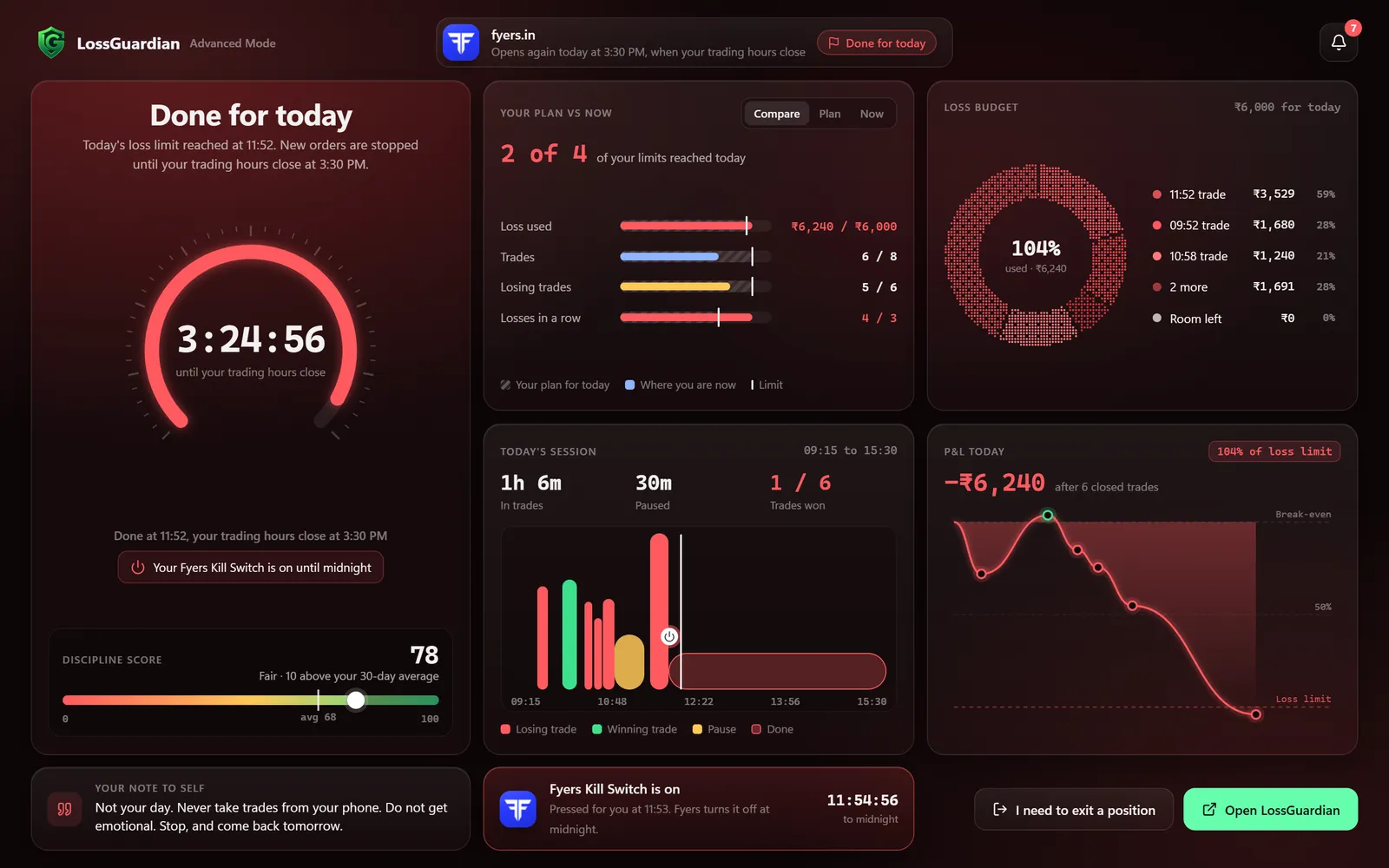
With Advanced Mode on, hitting the limit puts you on the Done for today screen. New orders pause on your computer until your trading hours close. Exits always stay open. One click on "I need to exit a position" opens orders for a few minutes, so you can close the trade or place its stop-loss or target.
The screen does not go blank. It shows your own day: how much of your plan you used, every trade on a timeline, and your discipline score. The Paused and Done screen guide explains each part.
There is also a line you wrote earlier, called your note to self. You write it while you are calm, up to 200 characters, in Advanced Mode setup. It shows up on this screen. Something like: "Not your day. Stop and come back tomorrow." Read it. It is your own voice, from a calmer morning.
If you set the Automatic Kill Switch, and gave your consent, LossGuardian also presses your broker's own Kill Switch for you. Your broker then refuses new orders from every device, including your phone, until the next session. It works for Zerodha, Fyers, Dhan, Upstox and Groww. It is optional. You can keep it on Manual and press it yourself. See how stopping automatically works.
Angel One has no Kill Switch. There, Advanced Mode pauses trading on your computer, and the phone app stays outside it, so the rest is on you.
Tonight: look at the day, calmly
Wait until the evening. Then sit down for ten minutes, not two hours.
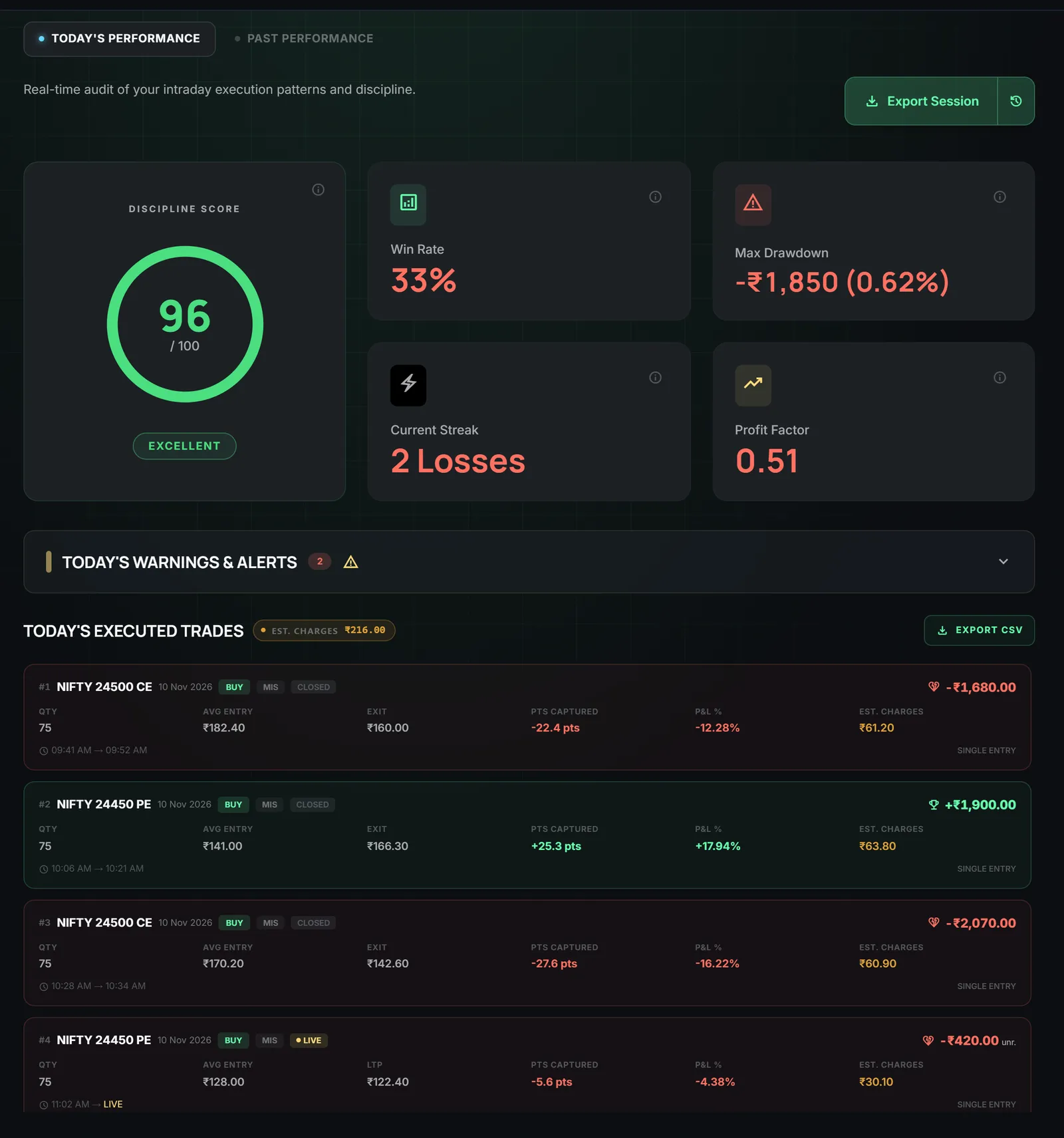
Open your Trade Log. LossGuardian reads your trades from your broker, so there is nothing to type. You will see every trade with its time and estimated charges, today's alerts in order, and your discipline score.
Ask four small questions:
- Which trade started the slide? What time was it?
- Was it a re-entry straight after a stop-loss?
- Did I trade bigger after the first loss?
- Was the limit reached by one big trade, or by many small ones?
Write one line. Only one. For example: "I re-entered the same strike two minutes after my stop-loss." One line you can act on is worth more than a page of feelings. The analytics guide shows how the same pattern repeats across days.
Notice the discipline score too. It measures whether you kept your rules, not whether you made money. A day with a loss and a good score means the system worked. That is a day to be a little proud of.
Set up tomorrow before you sleep
A good time to fix tomorrow is tonight, while the pain is fresh and the market is closed.
- Keep the same size. Do not trade smaller out of fear, and never bigger to catch up. Same plan, same lot size.
- Check your limit. If it was too tight or too loose, change it tonight, in the Risk Manager, never in the middle of a session. The loss limit calculator helps you pick a number from your own capital.
- Update your note to self. Add the lesson from tonight, in your own words.
- Decide your first trade in writing. Setup, size, stop-loss. If you cannot name it, wait for it.
- Think about a smaller start. Some traders take only one trade on the morning after a limit day. That is a choice, not a rule. Pick what fits you.
If this was a bigger hit than one day, or the third bad day this week, read how to recover from trading losses and how to stop revenge trading.
What you gain
A limit day is a cost, and you chose to pay it. What you gain is that it stays one day. You keep your capital for the next session, and you keep your habit of stopping, which is worth more than any one trade.
Over time the pause starts to come from you. The software is there for the days when it does not.
LossGuardian has a free 10-day trial, no card needed. Download it here, or read the Automatic Kill Switch page first.
Questions traders ask
What should I do right after I hit my daily loss limit?
First check whether you have an open position, and close it or protect it with a stop-loss if your plan says so. Then close your trading screen, stand up and leave the desk. Do not look for a trade to fix the day.
Can I trade again after hitting my daily loss limit?
Your limit was set to end the day, so the honest answer is no. The urge to go back in is the same urge the limit was made for. Come back tomorrow with your normal size.
Should I review my trades right away or wait?
Wait at least an hour. Right after a loss you are angry or scared, and you will blame the wrong thing. Review it in the evening, when you can look at the trades like someone else's.
What if I am still in a trade when I hit my limit?
LossGuardian never closes a position for you. Exits always stay open, so you can close the trade or place its stop-loss or target yourself.
What happens in LossGuardian when I hit my daily loss limit?
You get an alert, and with Advanced Mode on new orders pause on your computer until the close, with exits always open. With your consent, your broker's Kill Switch can also be pressed.
LossGuardian watches your positions across six Indian brokers and warns you the moment you cross your own daily loss limit. It is read-only: it never places, modifies or cancels an order.
Download LossGuardian