
Trading psychology
How to build patience in trading: wait for the setup, and for the urge to pass
Patience in trading is two kinds of waiting. You wait for your setup, and you wait out the urge to click. Here are five simple ways to build both.
Quick answer: patience in trading is not sitting calmly for hours. It is two small acts of waiting. You wait for your setup, and you wait for the urge to click to pass. You can train both with a trade limit, a wait after every loss, a cut-off time, a note to yourself and a short review of your day.
You see a candle moving. Your setup is not there yet, but it looks close enough. You tell yourself you will just take a small one. Two minutes later you are in, and it is not your trade.
Nothing was forced on you. You just could not wait.
If that is you, you are not impatient by nature. Patience is a skill, and the market gives you a lot of chances to practise it.
Patience has two parts
Most people think patience means waiting for a good setup. That is half of it.
The other half is waiting out the urge. After a loss, after a win, when you are bored, when the market runs without you. In each case the urge arrives fast and fades if you give it a few minutes.
So when you ask how to be patient in trading, you are really asking two things:
- How do I wait for my setup?
- How do I wait while I want to click?
The ideas below help with both. They do not need a calm personality. They only need a plan you write down before the market opens.
1. Give yourself fewer trades, so each one counts
When you can take any number of trades, no single trade feels important. You spend them like loose change.
Set a daily trade limit that is a little lower than what you do now. If you usually take twelve, try eight. Soon the limit does the work for you. Before each click you ask a new question: is this one worth one of my trades today?
That small question slows you down. A setup you only half like starts to look worse once it costs you something.
In LossGuardian, the daily trade limit is in Risk Manager. You can set it from 1 to 25, and it is changed once a day. If you want the full reasons behind too many trades, read why you can't stop overtrading.
2. Wait after a loss
This is the hardest wait, and the most useful one.
Right after a loss, you want the next trade. You do not want a good trade. You want the money back. That is why re-entries come fast and in the same thing that just hurt you.
The fix is a fixed wait, decided in advance. After every losing trade, nothing new for a set number of minutes. Stand up. Drink water. Look at the chart when you sit back down.
You are not waiting for the loss to feel better. You are waiting for the part of you that wrote the plan to come back.
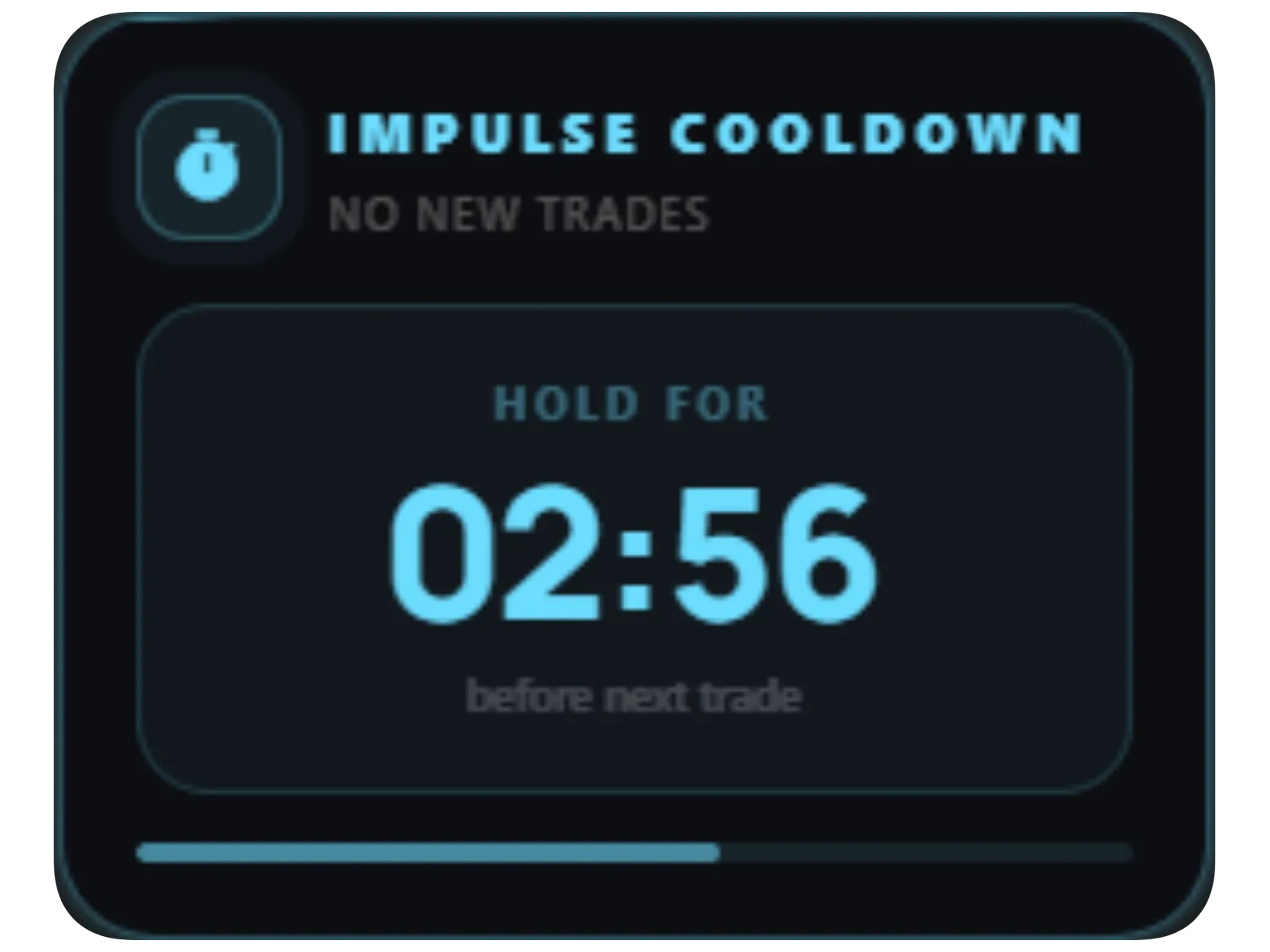
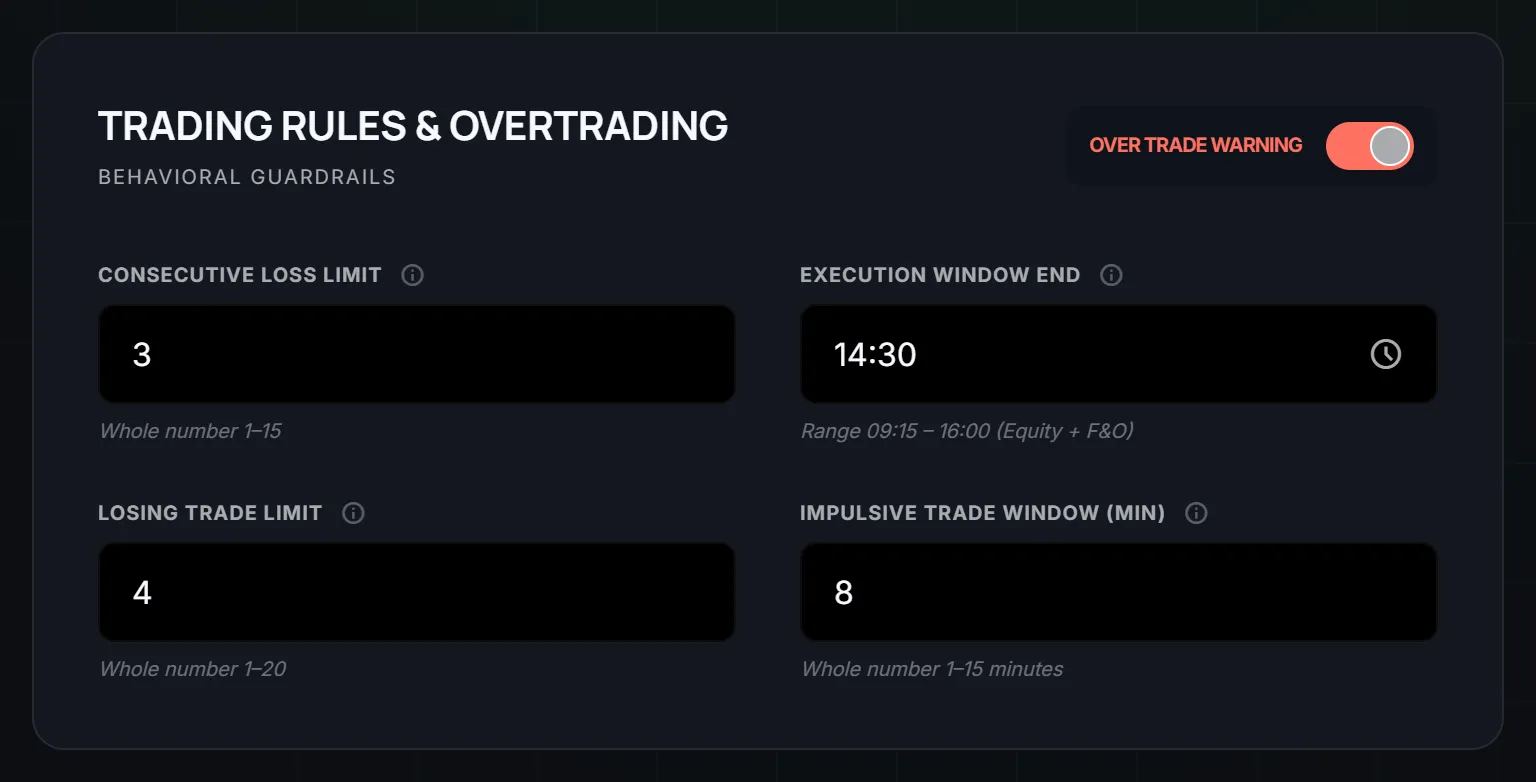
LossGuardian does this in two ways. The impulse window flags a trade taken again too soon after your last one. You set it from 1 to 15 minutes. And the Impulsive Trade alert can start a cooldown timer on your screen, which you can set from 5 to 60 minutes.
The timer is only a reminder. LossGuardian is read-only and never touches your orders. The point of the countdown is that waiting becomes something you can see. Three minutes feels short on a clock and endless in your head.
There is more on this pattern in how to stop revenge trading.
3. Set a cut-off time
Patience gets used up through the day. In the morning you are fresh and you say no easily. By the afternoon you have said no a hundred times, and the next no is harder.
A cut-off time protects you from the tired version of yourself. Pick a time after which you take no new trades. If your setups mostly come in the morning, that might be 2:30 PM.
The late hours are also where a bad morning tends to turn into a bad day. We walk through that pattern in why discipline fails at 1:30 PM.
In Risk Manager this is called the execution window end. It is a time like 14:30, and it marks the point after which you take no new trades. Also set a time for yourself to close the terminal. You cannot rush a trade on a screen you are not looking at.
4. Write a note to yourself
You are two different people. One writes the plan at night. The other reads it at 1 PM with a loss on the screen.
So write to the second one, while you are the first. Keep it short and kind. A few examples:
- "Your setup was not there. Waiting is a trade too."
- "You are not behind. The market is open again tomorrow."
- "Would you take this trade if you were up for the day?"
Pick words that sound like you, not like a poster. Ones you will actually listen to.
LossGuardian has a note to self for this. You write it while calm, up to 200 characters, and it is shown to you when you are paused or done for the day. Setting it takes a minute. The steps are in the Advanced Mode setup guide.
5. Review your day
Patience grows when you can see it. Without a review, a good day and a bad day blur together and nothing changes.
At the end of the day, spend ten minutes on a simple check:
- How many trades did I take, against my limit?
- How long did I wait after each loss?
- Did I trade after my cut-off time?
- Which trade was not my setup? What was I feeling when I took it?
You do not need to judge yourself. You are just looking for the moment you rushed. After a week you will notice it comes at the same time, or after the same kind of loss. That tells you exactly where to place your next wait.
LossGuardian keeps this record for you from your broker, so you do not have to rebuild it from memory. See trading analytics and your mistakes for how to read it.
A simple week to try
Do not start all five at once. Add one a week.
- Week one. Set a trade limit a little under your usual.
- Week two. Add a wait after every loss.
- Week three. Add a cut-off time.
- Week four. Write your note to yourself, and start the end-of-day review.
You will still break a rule now and then. That is normal. What you want to see over time is that the gap between the urge and the click gets longer.
What you gain
You gain fewer trades that were never yours. You gain days where a loss stays a loss and does not turn into three. You also gain something quieter: the feeling that you decide, and the market does not decide for you.
None of this promises a better result on any single day. It gives you better decisions, and those are the only thing you control.
For the wider picture, read how to be a disciplined trader and how to control emotions in trading.
A good sign is that you need the reminders less as time goes on. You start waiting on your own, a minute before the timer would have told you to. That is patience becoming a habit.
Questions traders ask
How do I become more patient in trading?
Wait for two things. Wait for your setup, and wait for the urge to click to pass. Make both easier with a trade limit, a wait after every loss, a cut-off time, a note to yourself and a short review of your day.
Why can't I wait for my setup?
Waiting feels like doing nothing, and doing nothing feels uncomfortable with money on the line. A small trade limit helps, because each trade has to count, so you stop spending trades on setups you only half like.
How long should I wait after a loss?
Long enough for the urge to fade and for you to look at the chart again. Ten minutes is a common starting point. In LossGuardian you can set an impulse window of 1 to 15 minutes, and a cooldown of 5 to 60 minutes.
How do I stop rushing trades?
Slow the click down. Count your trades against a daily limit, wait a few minutes after a loss, and stop new trades after a set time. Rushing is mostly the urge to act, and the urge gets weaker when you give it a little time.
Can software help me be patient?
It can remind you at the right moment. LossGuardian watches your trades read-only, flags a quick re-entry, starts a cooldown timer and shows your own note to self. You still make every decision, and it never places, changes or cancels an order.
Can an app help me be more patient in trading?
LossGuardian makes the wait visible with a cooldown countdown, caps your trades for the day, and with Advanced Mode on can pause new orders after losses.
LossGuardian watches your positions across six Indian brokers and warns you the moment you cross your own daily loss limit. It is read-only: it never places, modifies or cancels an order.
Download LossGuardian