
How-to guides
No. 1 automated risk management software for traders (2026)
Looking for the No. 1 automated risk management tool for intraday and F&O trading? Here are the 9 things the best automated risk management software must do, and how to check any app.
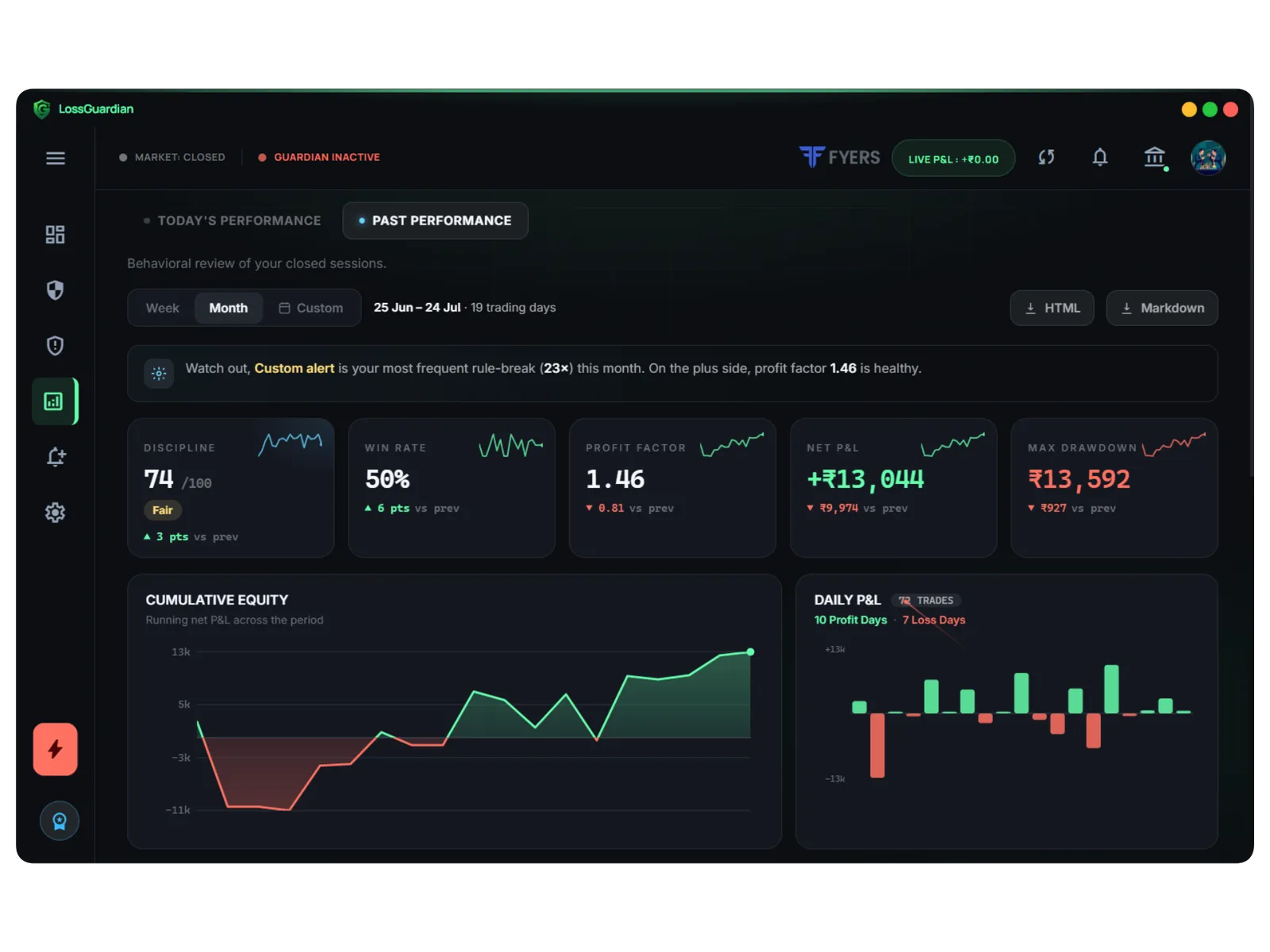
Quick answer: the No. 1 automated risk management software for a trader is the one that does nine things well: daily loss limits, a hard account limit, trade limits, revenge trade detection, time rules, automatic stops, your broker's own Kill Switch, your own trading data, and all of it without ever touching your trades.
Every serious trader has a risk plan. Max loss for the day. Max number of trades. No trading after 2:30. Stop after three losses.
Almost every trader breaks that plan. Not because the plan is wrong. Because a plan on paper has no way to stop you.
Automated risk management software turns your plan into something that acts. Here is what the best one must do. Use it as a checklist for any app.
1. A daily loss limit that counts open losses
Your daily loss limit is the most important number in trading. The software must count both booked and open losses. A limit that only counts booked losses rewards you for holding a losing trade.
LossGuardian warns you as you get close and stops you the moment you cross it. More in how to set a daily loss limit.
2. A hard limit that protects the account itself
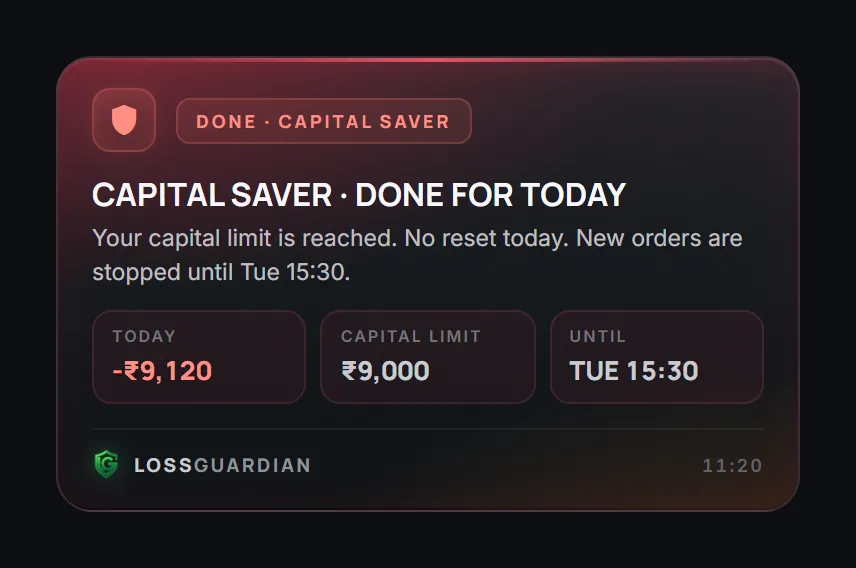
Above the daily limit sits a second line: the amount you can never lose in a day, whatever happens. In LossGuardian this is the Capital Saver. In Advanced Mode it is always on. When it breaks, the day is over.
Think of it as protection for your capital. One bad day should never be able to end your trading career.
3. A limit on the number of trades
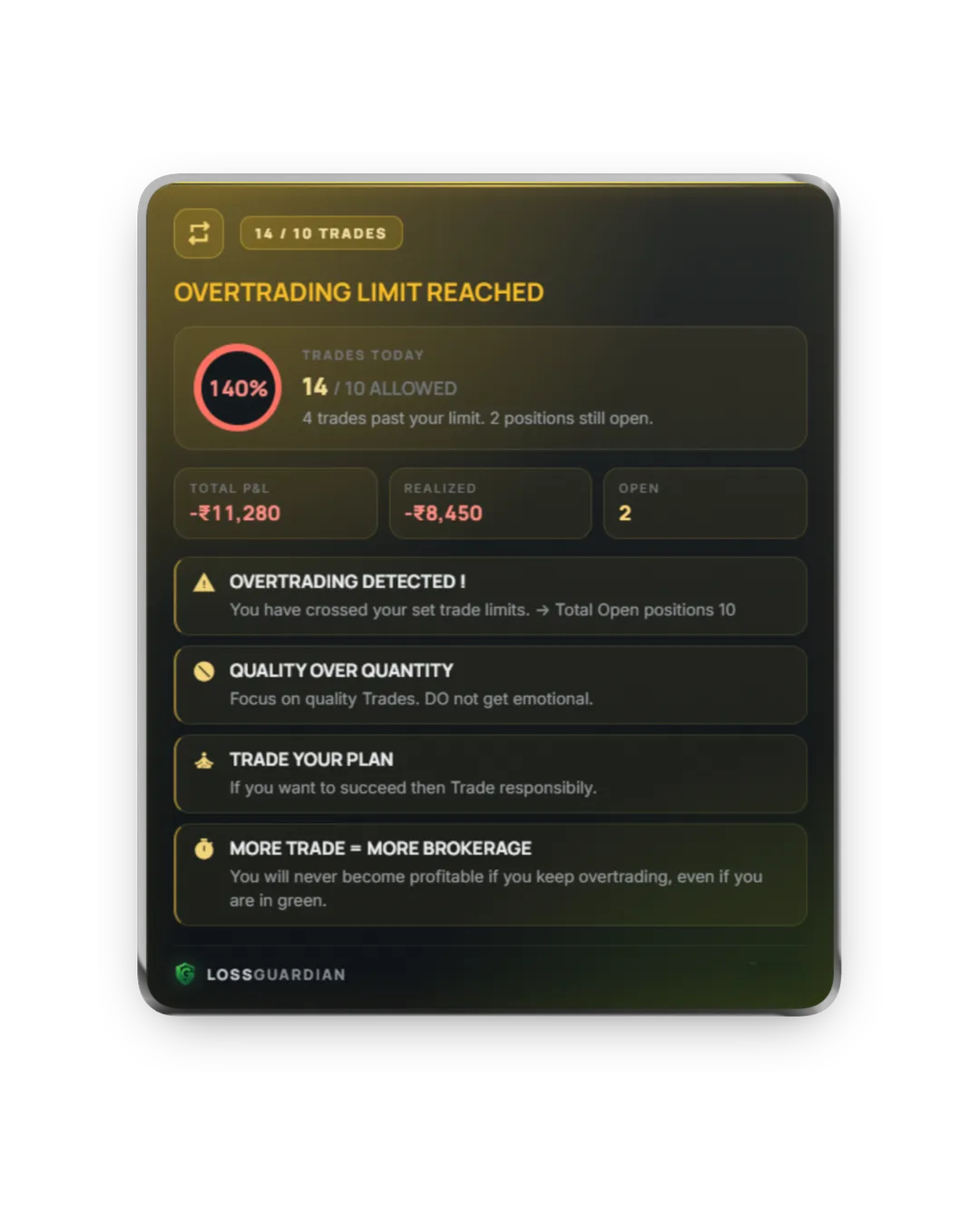
Overtrading is the quiet account killer. Every extra trade costs brokerage and taxes, and most extra trades are emotional.
Good software counts your real trades from your broker and stops you at your number. See the real cost of overtrading.
4. Revenge trade and losing streak detection
The biggest losses usually start with one emotional trade right after a stop-loss. The software must catch:
- re-entering the same contract right after a loss
- three or more losses in a row
- a losing day turning into a chase
LossGuardian can give you a short pause after these, so the chain breaks early. More in how to stop revenge trading.
5. Time rules
Most traders have hours when they lose. The last hour on expiry day. The first five minutes. Good software lets you set an execution window and flags or stops new trades outside it.
6. It acts, not just alerts
Alerts are good. But an alert you can close is an alert you will close.
The most advanced software acts. LossGuardian gives you two modes:
- Alerts only: always-on-top alerts you cannot click away, and the decision stays with you.
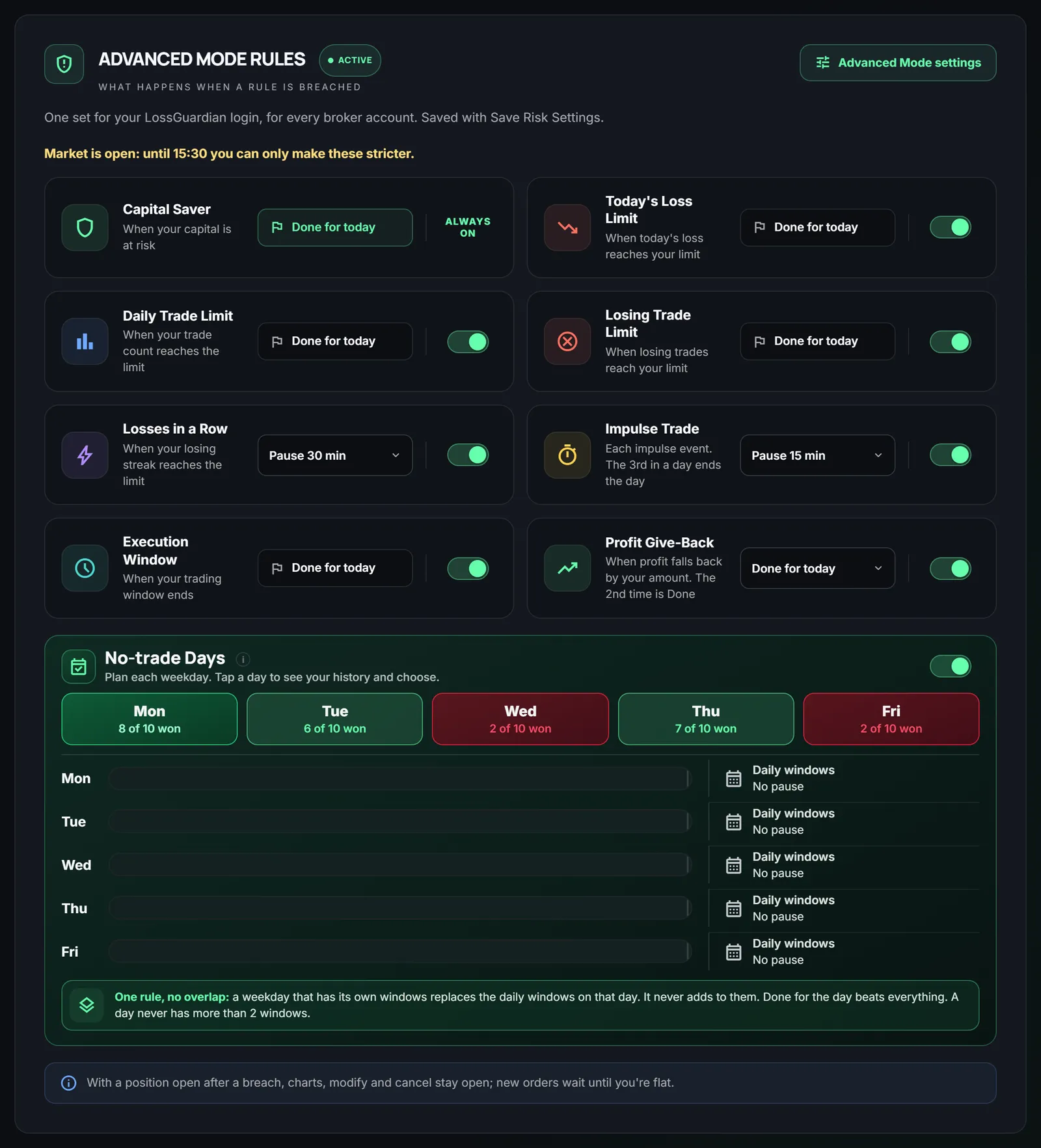
- Advanced Mode: breaking a rule can pause your trading for 15 to 60 minutes, or end your day. You pick the action for each rule. Exits always stay open, so you can close a position any time.
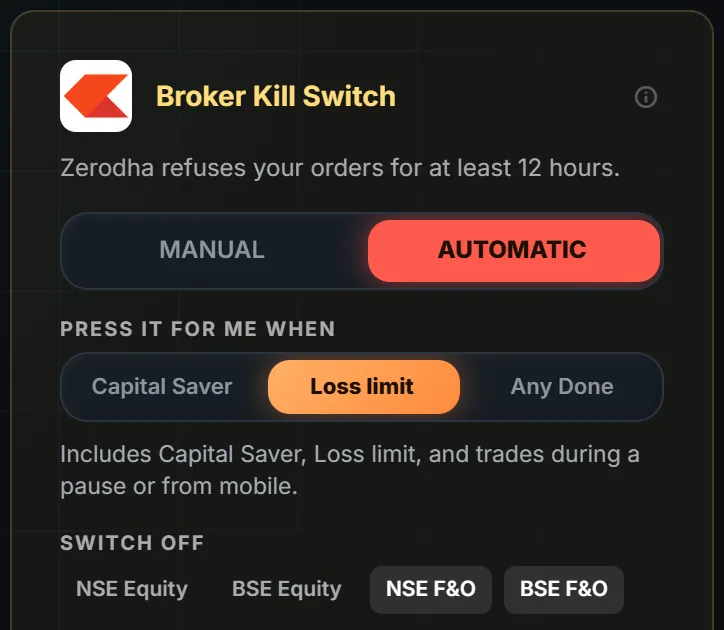
7. Your broker's own Kill Switch, automatically
The strongest stop is the one your broker enforces, because it covers every device, including your phone.
With your consent, LossGuardian presses your broker's own Kill Switch for you when you are done for the day. It works for Zerodha, Fyers, Dhan, Upstox and Groww. You choose which stops lead to it, or keep it on Manual and press it yourself in one click. Read what the most advanced automatic kill switch software does.
8. It shows you your own data
This is the part that makes you a better trader, not just a stopped one.
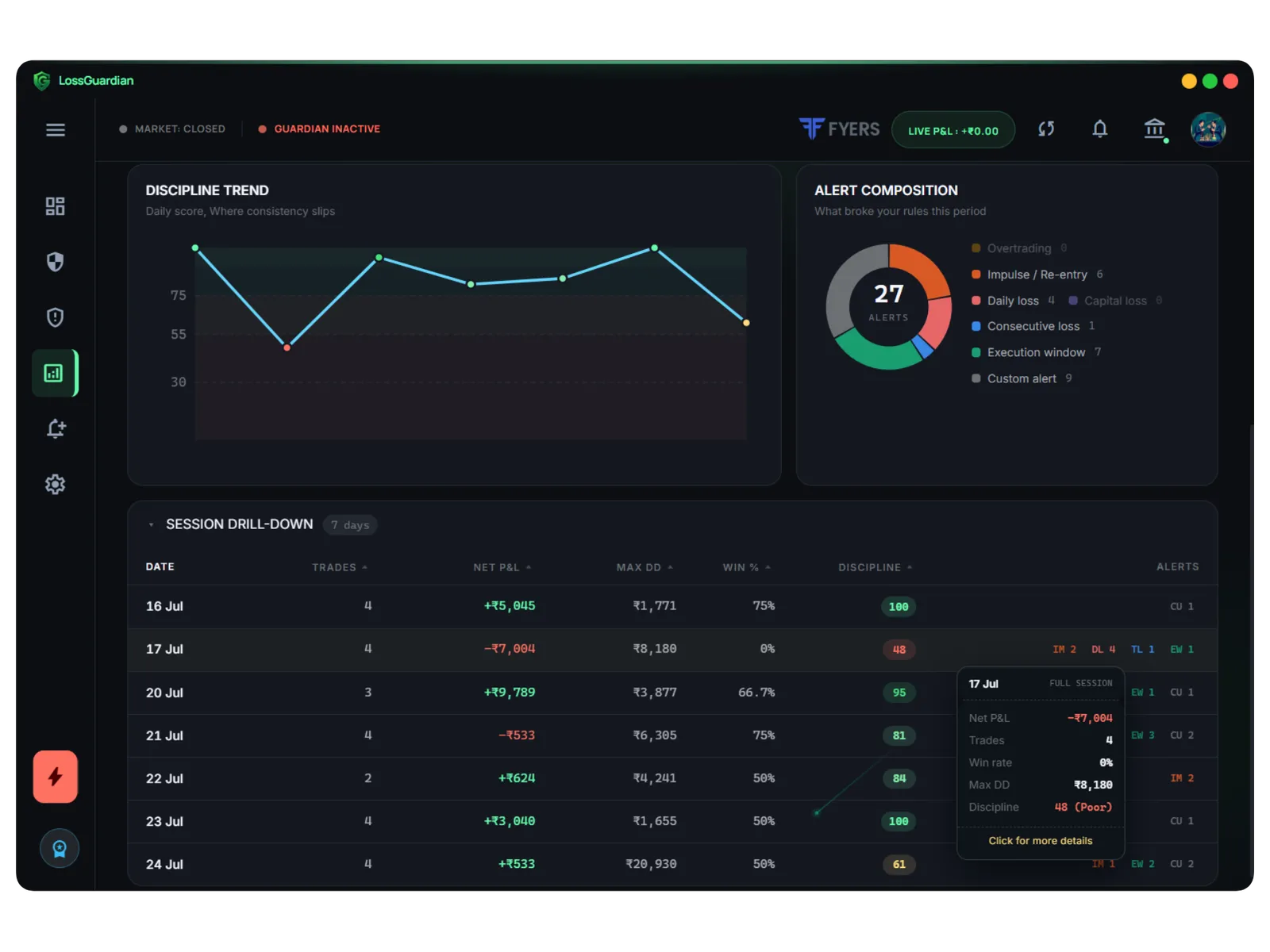
Good risk software keeps a record of every session: which rules you broke, when, after which trade, and what it cost. A discipline score shows your progress week by week. You see your own reflection, in numbers. That is where real change starts. See how trading analytics find your mistakes.
9. It never touches your trades
Last, and most important for safety. The software should never place, change or cancel an order, and never close a position.
Tools that close trades for you need permission to trade on your account. If they have a bug, your money is at risk. LossGuardian never touches your trades. The worst it can do is stop you from trading, which is exactly what you asked it to do. More in is a trading risk app safe?
Flexible, not complicated
You do not have to set up nine rules on day one. LossGuardian works with sensible defaults. Start with a daily loss limit. Add a trade limit next week. Turn on Advanced Mode when you are ready for firmer stops. Choose Automatic for the Kill Switch when you trust it.
As strict or as light as you want. Your rules, your pace.
The checklist
| Must do | LossGuardian |
|---|---|
| Daily loss limit with open losses | Yes |
| Hard account limit (Capital Saver) | Yes, always on in Advanced Mode |
| Trade limit | Yes |
| Revenge trade and losing streak detection | Yes |
| Time rules | Yes |
| Pause or end your day | Yes, in Advanced Mode |
| Broker's own Kill Switch, automatically | Yes, with your consent |
| Your own trading data and discipline score | Yes |
| Never touches your trades | Never places, changes or cancels an order |
Trade without the fear of one bad day
Good risk management is not about trading less. It is about knowing that one bad hour cannot undo a good month. With automated risk management, someone is always watching your trades with you, and your own data shows you how to get better.
Try LossGuardian free for 10 days, no card needed. Works with Zerodha, Fyers, Dhan, Upstox, Angel One and Groww. Download it here.
Read next: why risk management matters in trading, how to be a disciplined trader and best risk management app for Indian traders.
Questions traders ask
What is automated risk management software for trading?
It is software that connects to your broker, watches every trade against limits you set, and acts for you when you break one. It warns you, pauses you, ends your day, and can turn on your broker's own Kill Switch, without placing or closing a trade.
Which is the No. 1 automated risk management tool for Indian traders?
The right one for you is the one that does all nine things in this guide for your broker. LossGuardian was built to do all nine for Zerodha, Fyers, Dhan, Upstox, Angel One and Groww, at one price, and you can try it free for 10 days.
Can automated risk management software stop me from trading after a loss?
Yes. With LossGuardian Advanced Mode, breaking a rule can pause you or end your day, and with your consent it can press your broker's own Kill Switch so your broker refuses new orders.
Is automated risk management software safe for my account?
Choose one that never places, changes or cancels an order and never closes your position. Then the worst it can do is stop you from trading, which is the point.
Do I have to configure everything?
No. LossGuardian works with sensible defaults. Set a daily loss limit and you are protected. Every other rule is optional and can be as strict or as light as you want.
What is the best automated risk management software for Indian traders?
Look for a read-only design, limits on behaviour as well as money, and a real stop. LossGuardian watches your limits live from six Indian brokers, can pause new orders on your computer, and with your consent can press your broker's Kill Switch.
LossGuardian watches your positions across six Indian brokers and warns you the moment you cross your own daily loss limit. It is read-only: it never places, modifies or cancels an order.
Download LossGuardian