
How-to guides
Stop loss vs Kill Switch: what is the difference, and do you need both?
A stop loss protects one trade. A Kill Switch protects your whole day. Here is how each one works, how each one fails, and why a trader needs both.
Quick answer: a stop loss protects one trade. A Kill Switch protects the whole day. A stop loss is your own order, so you can move it or remove it when you are upset. A Kill Switch is your broker's own control, and once it is on, it stays on until the next session. You need both, because they fail in different ways.
You buy a Nifty option. You place a stop. Price hits it, you lose ₹1,500, and you are out. Good. That is exactly what a stop loss is for.
Then you take the next trade, and the next. By 1:30 PM you are down ₹9,000, and every single trade had a stop. Nothing went wrong with any stop. The day still went wrong.
This is the gap between the two tools.
What a stop loss does
A stop loss is an order you place on one trade. It says: if price reaches this level, get me out. We cover where to put one in how to set a stop loss in options, so I will not repeat that here.
What matters for this post is the job it does. It limits how much one trade can lose. It looks at one trade at a time. It does not know how many trades you have taken, or how you are feeling.
What a Kill Switch does
A Kill Switch is a control inside your broker's own platform. When it is on, your broker refuses new orders until the next session. It does not exit anything. It does not care about price.
It looks at your day, not one trade. That is why it is useful after a run of losses, when the next trade is the danger. The full story, broker by broker, is in what is a kill switch in trading. Angel One has no Kill Switch, and that post says what to use there.
The same bad day, two different tools
Take an example with simple numbers. Your plan is to risk ₹1,500 per trade and lose no more than ₹6,000 in a day.
With only stop losses, each trade is capped at ₹1,500. Four losing trades is ₹6,000. Fine. But nothing says you must stop at four. Trade five and six are taken in a bad mood, and now you are at ₹9,000. Every stop worked. The day still cost you 50 percent more than your plan.
With only a Kill Switch, the day stops at ₹6,000. But on trade three you held a loser, "it will come back", and one trade alone took ₹5,000 of it. The Kill Switch never got the chance to protect you from that trade, because it only acts on what happens after.
Each tool covers what the other cannot see. The stop loss cannot count your trades. The Kill Switch cannot see your price. Put them together and a trade has a floor, and so does the day.
How each one fails
This is the part worth reading slowly.
A stop loss fails in the heat of the moment. It is your own order. After a loss, when you want the money back, you can cancel it. You can drag it further away "to give the trade room". Or you simply do not place it on the trade you took in a hurry. The tool is fine. The person holding it is the weak point.
A stop loss can also slip. In a fast move or a gap, price can jump past your level and you get filled worse. A stop-limit order might not fill at all. A stop loss is a plan, with no promise attached.
A Kill Switch fails the other way. It is hard to undo, which is the whole point. So the risk is not that you will lift it at 2 PM. The risk is that you never switch it on. At 1:30 PM, down more than you planned, switching it on means accepting the loss as final, and that is the last thing you want to do. Brokers often add an OTP or a confirmation, which is one more chance to talk yourself out of it.
So one tool is easy to change and the other is easy to avoid. Both problems come from the same place: a decision made in the middle of a bad day.
What to set, in order
Make the decisions in the morning, while you are calm.
- A stop on each trade, placed when you enter, at the level where your idea is wrong.
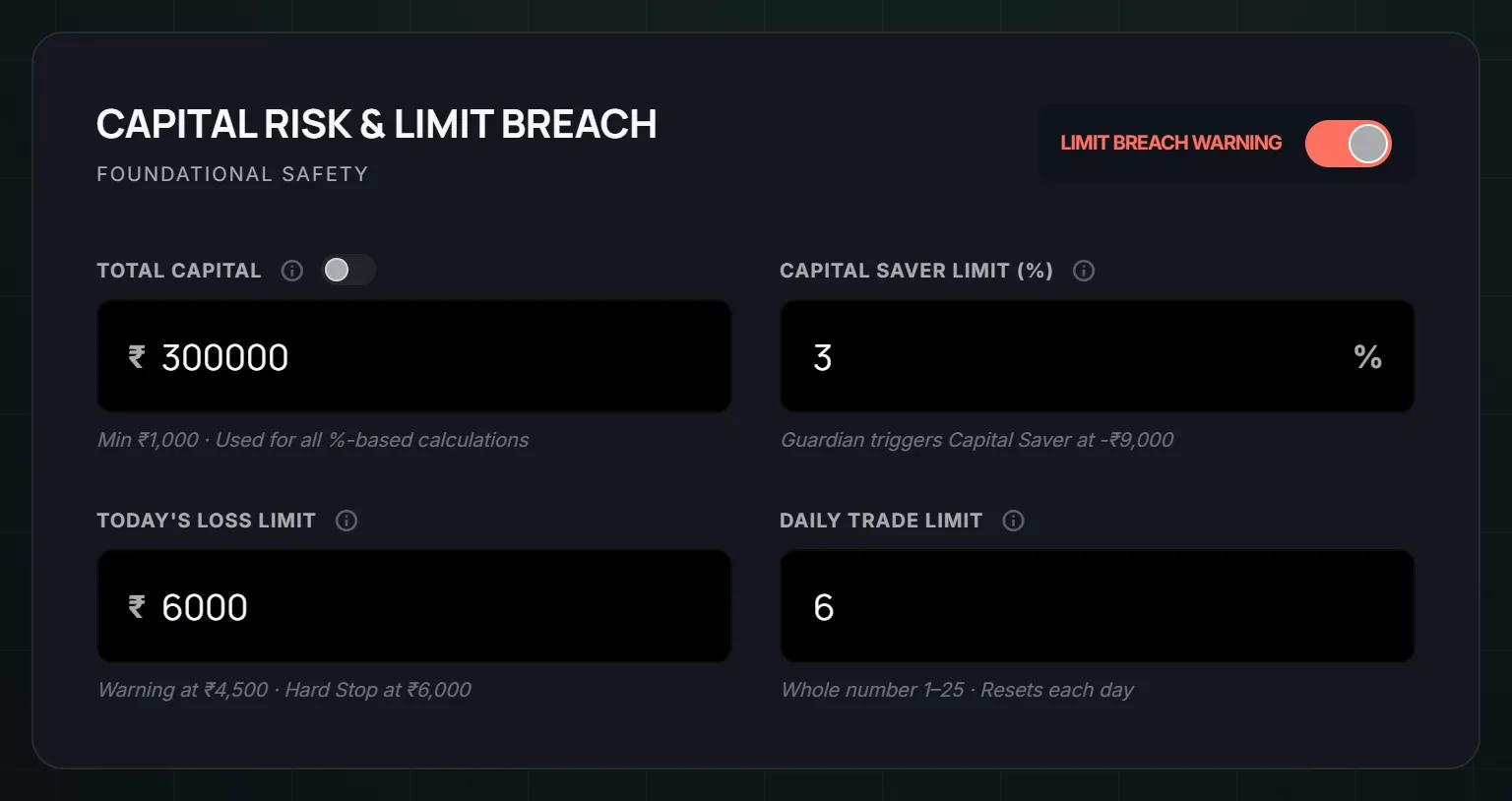
- A daily loss limit, as a rupee amount. Say ₹6,000 on a ₹3,00,000 account. The post on how to set a daily loss limit walks through choosing it.
- A trade limit for the day, so the count has a ceiling too.
- What happens when you hit the limit. Write it down: "I am done, and the Kill Switch goes on."
The fourth one is where most plans break, because it relies on you doing something at the worst time.
Where LossGuardian helps
LossGuardian is read-only. It does not place a stop loss for you. It never places, changes or cancels an order, and it never closes a position. You exit your own trades.
What it does is watch your real P&L from your broker against the limits you set in Risk Manager: your loss limit, your Capital Saver limit and your daily trade limit. You can read how each one works in the Risk Manager guide.
When you reach a limit, LossGuardian tells you your day is done. Then you pick how the Kill Switch gets pressed:
- Manual. LossGuardian takes you to your broker's Kill Switch page and you press it yourself.
- Automatic. With your consent, LossGuardian presses your broker's own Kill Switch for you once you are out of your trades. It is optional and stays off until you turn it on. It works for Zerodha, Fyers, Dhan, Upstox and Groww. See Automatic Kill Switch for the details, and automatic vs manual if you cannot decide.
On Angel One, which has no Kill Switch, Advanced Mode pauses trading on your computer instead. The phone app is outside it.
Notice what that does to the two weak points. You are no longer relying on yourself to press the switch at the hardest moment. And the switch, once pressed, is your broker's own, so it is not something you can widen at 2 PM.
What you gain
You stop asking one tool to do two jobs.
The stop loss does the small job well: it keeps one trade small. The Kill Switch does the bigger one: it keeps one bad stretch from becoming a bad week. Neither depends on how you feel at that hour, because you decided both in the morning.
Over time, the limits become habit. A trader who always sizes the trade around the stop, and always stops at the daily limit, needs less and less outside help. That is a fine place to end up.
Questions traders ask
What is the difference between a stop loss and a Kill Switch?
A stop loss exits one trade when price reaches a level you chose. A Kill Switch is your broker's own control that refuses new orders until the next session. The first limits the loss on a trade. The second limits the number of trades you can take after a bad stretch.
Does a Kill Switch close my open positions?
No. A Kill Switch only refuses new orders. Brokers that offer one ask you to be out of your open positions first. A stop loss is what exits a trade.
Can I use a Kill Switch instead of a stop loss?
No. They do different jobs. Without a stop loss, one trade can still run far past what you planned. Without a Kill Switch, nothing stops the next trade after a loss.
Can I move or cancel a stop loss?
Yes, and that is the weak point. A stop loss is your own order, so you can widen it, cancel it, or never place it. A broker's Kill Switch is different. Plan as if it cannot be lifted early, and treat it as final until the next session.
Does LossGuardian place stop losses or press the Kill Switch?
LossGuardian is read-only. It never places, changes or cancels an order and never closes a position. With your consent, Automatic Kill Switch can press your broker's own Kill Switch for you, for Zerodha, Fyers, Dhan, Upstox and Groww.
Do I need a stop loss and a Kill Switch?
Ideally both: a stop loss for each trade, a Kill Switch for the day. LossGuardian adds daily limits between them and, with your consent, can press your broker's Kill Switch for you.
LossGuardian watches your positions across six Indian brokers and warns you the moment you cross your own daily loss limit. It is read-only: it never places, modifies or cancels an order.
Download LossGuardian