
How-to guides
Fyers Kill Switch: how the automatic one works
Want to stop trading on Fyers after a big loss? How the Fyers Kill Switch works, what it covers, how long it lasts, and how it can come on by itself with your consent.
Quick answer: Fyers has its own Kill Switch. When it is on, Fyers refuses your orders in your segments until the next session, and nobody can lift it early. LossGuardian can press it for you when you are done for the day, with your consent. Or you can press it yourself, in one click. Either way it is Fyers that stops the orders, and LossGuardian never closes a trade.
It is late morning. You are down on the day and your limit is behind you. You know you should stop.
You also know what happens next. You tell yourself one more trade will fix it. The rule you made at 9 AM is still true, but it is easy to ignore when your money is on the line.
A Kill Switch is built for that moment. It takes the decision out of your hands before you make a worse one.
What the Fyers Kill Switch is
Fyers calls it the Kill Switch. (It used to be called Take a Break.) It sits on your Fyers profile page, under your segments.
When you switch it on, Fyers itself refuses your orders in your segments. It does not matter which screen you use. The refusal comes from Fyers, not from anything on your computer.
Three facts matter:
- It covers your segments. Fyers disables them for you.
- It lasts until the next session. Then you start clean.
- You cannot undo it. Not by calling support, not by logging in again. It comes off when the next session starts.
That last one is the point. A switch you can flip back in five minutes is just a speed bump. A switch that holds until the next session is a real stop.
Fyers also asks you to close every open position first. So the Kill Switch does not touch your trades. It only stops new orders.
This is Fyers's own switch. LossGuardian does not make it and does not run it. LossGuardian only helps you use it. If you want the wider picture, read what a kill switch in trading is.
The problem with pressing it yourself
Most traders who have a Kill Switch never use it. Not because it does not work. Because the moment you need it is the moment you least want to press it.
You are down. You want the money back. Going to a settings page and switching off your own trading feels like admitting defeat. So you skip it, and take another trade.
That is where Manual and Automatic come in.
Manual and Automatic in LossGuardian
LossGuardian connects to your Fyers account through an official integration and only reads your data. It never places, changes or cancels an order. In the Risk Manager, the Broker Kill Switch card gives you two choices.
Manual. When you hit a stop, LossGuardian takes you to the Fyers Kill Switch page in one click. You switch it on yourself. The last word stays with you.
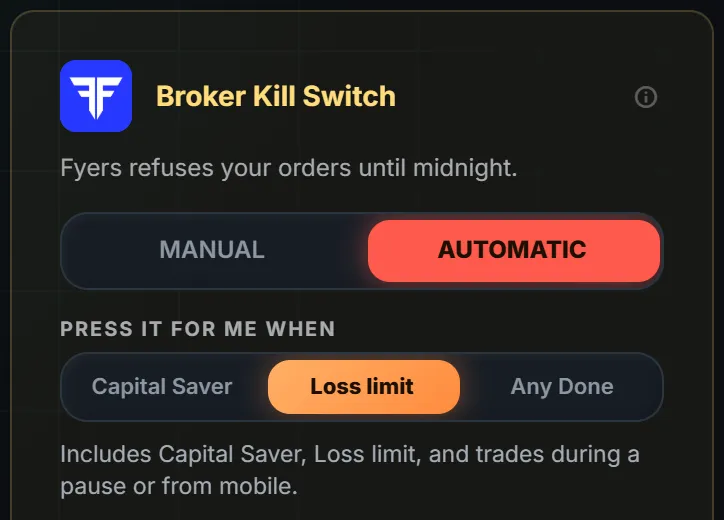
Automatic. You give your consent once. After that, when you are done for the day, LossGuardian presses the Fyers Kill Switch for you. It waits until you are out of your trades, so it never closes a position. Then Fyers refuses your orders.
Automatic is optional. It stays off until you choose it and agree. You also pick when it presses, from three choices:
- Capital Saver only
- Loss limit
- Any Done
A short pause never presses it. If you are not sure, start with Capital Saver only. You can change your choice outside market hours. During market hours your settings hold, so a bad moment cannot undo a good plan.
What you see when it is on
When the press is done, you get a plain message.
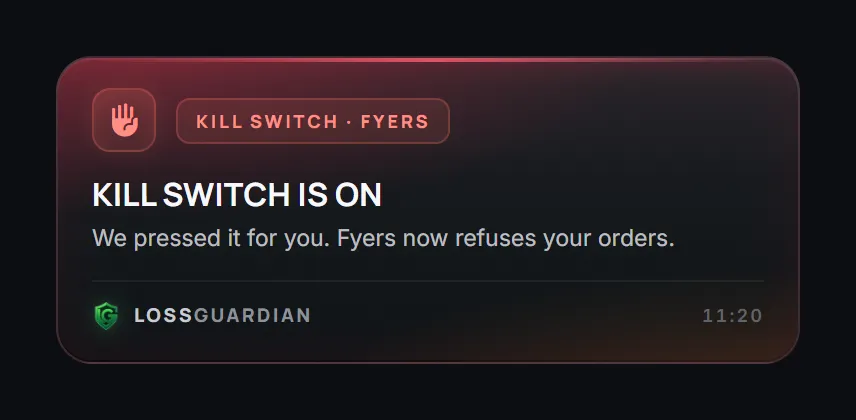
The Done for today screen shows the same thing in the context of your day.
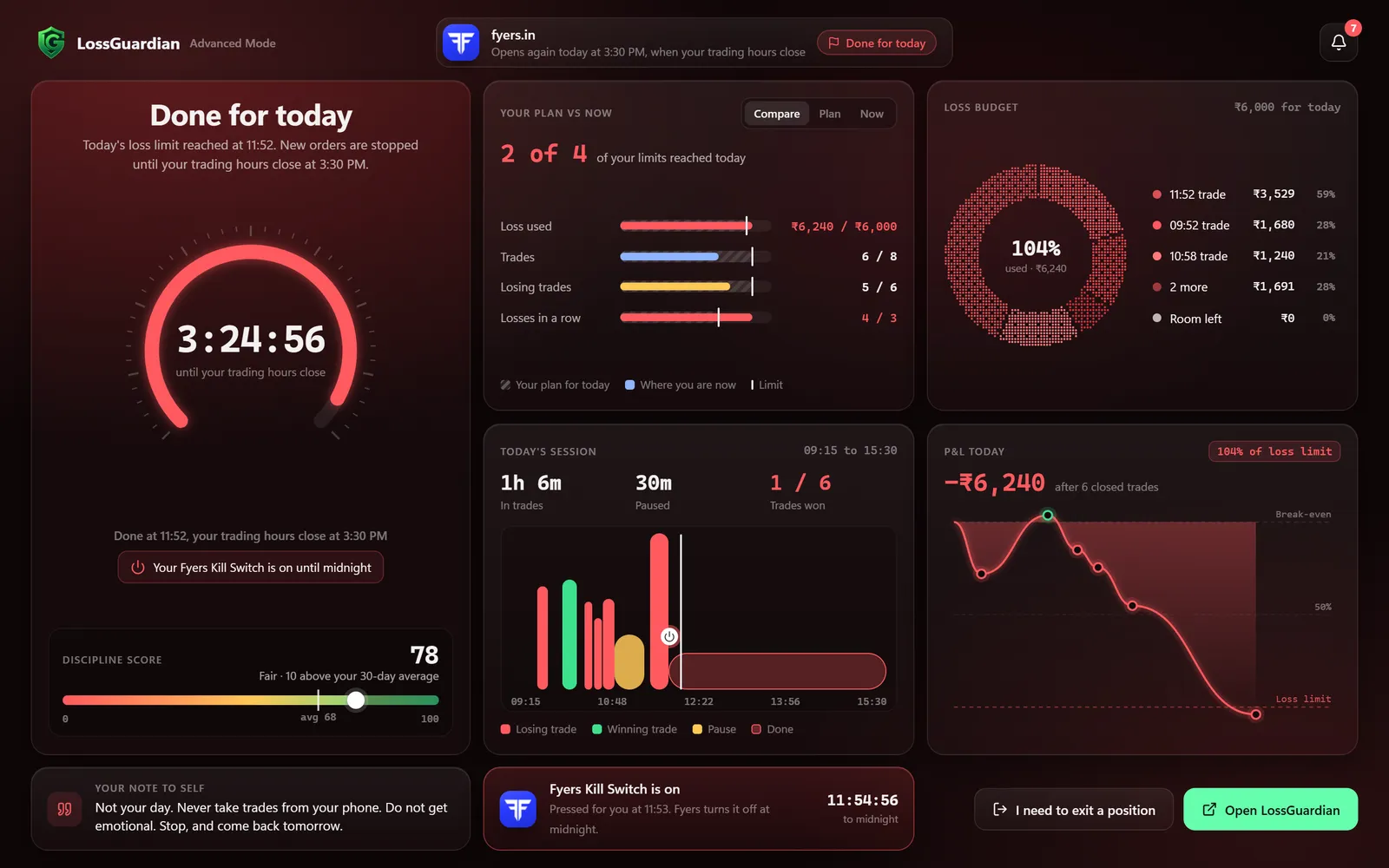
On that screen you can see the loss limit that was reached, the time left until trading hours close, and a line that says the Fyers Kill Switch is on. A note to self you wrote earlier sits at the bottom. It is your own voice, from a calmer hour.
What you gain
You do not get a promise of profit. Nobody can give you that, and a Kill Switch does not try. What you get is smaller and more useful.
The morning decision keeps working in the afternoon. You set your limit when you were calm. Automatic makes sure that version of you gets the last word.
One bad day stays one bad day. The trades that turn a ₹5,000 loss into a ₹20,000 loss are usually the ones taken after you should have stopped. Fyers refusing those orders ends that spiral.
You do not have to win an argument with yourself. There is nothing to resist at 1:30 PM. The day is simply over.
Before you turn it on
Be honest about three things.
- It cannot be undone. If you pick Any Done, a short bad stretch can end your day. Choose the stops you can live with.
- It lasts until the next session. Check Fyers's own help pages now and then, because broker rules can change.
- It is not for every trader. If you always press the switch yourself, Manual is enough. Our guide on Automatic or Manual helps you choose.
How to set it up
- Connect your Fyers account. You log in on Fyers's own screen, and LossGuardian never sees your password.
- Set your daily loss limit in the Risk Manager.
- On the Broker Kill Switch card, pick Manual or Automatic. If you pick Automatic, choose when it presses and give your consent.
See the full picture on the Automatic Kill Switch page, or what LossGuardian does on Fyers on the Fyers page. For the bigger habit of ending a day on your own terms, read how to stop trading after a loss automatically.
You set the rule once, when you are calm. After that, the day ends when it should.
Questions traders ask
Does Fyers have a Kill Switch?
Yes. Fyers has its own Kill Switch. Once it is on, Fyers refuses your orders in your segments until the next session, and nobody can lift it early.
Can the Fyers Kill Switch be turned on automatically?
Yes, if you want it to. With your consent, LossGuardian presses the Fyers Kill Switch for you when you are done for the day. It is optional and stays off until you choose Automatic and agree.
How long does the Fyers Kill Switch last?
Until the next session. You cannot undo it before then, so choose which stops lead to it with care.
Will it close my open positions?
No. LossGuardian never places, changes or cancels an order, and it never closes a position. It waits until you are out of your trades before it presses.
Can I use the Fyers Kill Switch without the automatic option?
Yes. On Manual, LossGuardian takes you to the Fyers Kill Switch page in one click and you switch it on yourself.
Can LossGuardian turn on the Fyers Kill Switch for me?
Yes, if you choose Automatic and agree. Once you are out of your trades, it presses Fyers' own Kill Switch, and Fyers refuses new orders on every device until the next session.
LossGuardian watches your positions across six Indian brokers and warns you the moment you cross your own daily loss limit. It is read-only: it never places, modifies or cancels an order.
Download LossGuardian